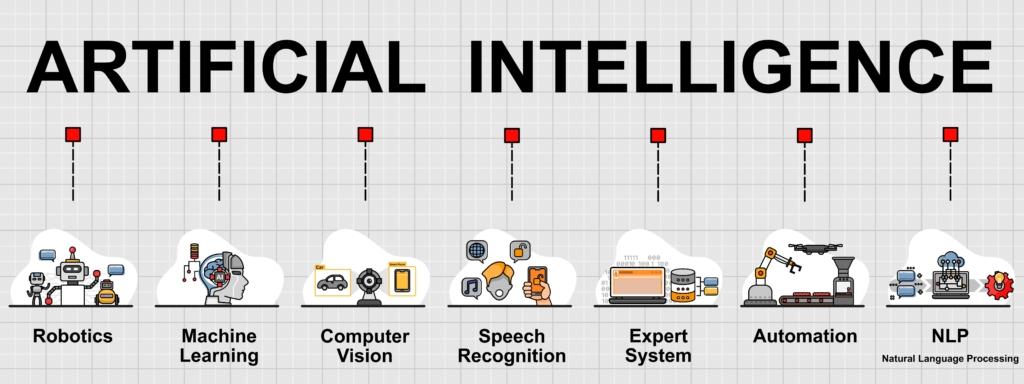
The year 2026 presents a unique moment in the history of technology. Artificial intelligence has evolved from a buzzword into a transformative force that touches every aspect of software development. For aspiring coders, this creates both unprecedented opportunities and genuine anxiety. Two questions dominate every conversation in tech forums, college campuses, and career counseling sessions across India and the world: Which AI is the best to learn coding? Is AI going to replace coders?
These are not academic questions. They carry real weight for students choosing their career paths, professionals considering a switch into technology, and even experienced developers wondering if they should upskill or pivot. This comprehensive guide will answer both questions in detail, provide actionable strategies for your learning journey, and show you exactly how to position yourself for success in the AI-powered future of software development.
Part One: Which AI Is the Best to Learn Coding?
Let us begin with the first question because it has a practical, immediate answer that you can act on today. The landscape of AI coding assistants has matured significantly by 2026. What started as experimental chatbots has evolved into a sophisticated ecosystem of specialized tools, each with distinct strengths and ideal use cases.
Understanding What AI Coding Assistants Actually Do
Before we compare specific tools, you need to understand what these AIs can and cannot do for someone learning to code. The best AI coding assistants serve as interactive tutors, debugging partners, and idea generators. They excel at explaining concepts in multiple ways, providing examples on demand, and helping you understand why your code is not working. They can generate boilerplate code, suggest alternative approaches, and even walk you through algorithms step by step.
However, every AI coding assistant has fundamental limitations that you must respect. They sometimes produce incorrect code with complete confidence. They lack genuine understanding of business logic and user requirements. They cannot design a complete application architecture for a complex project. And most importantly, they cannot replace the mental discipline and problem-solving skills that you develop by struggling with code on your own.
With that foundation established, let us examine the top AI tools for learning coding in 2026.
ChatGPT by OpenAI: The All-Purpose Tutor
ChatGPT remains the most popular and versatile AI assistant for coding learners. Its strength lies in its conversational nature. You can ask it to explain a programming concept, and it will respond in plain language. If you do not understand the first explanation, you can ask it to try again differently. You can ask for analogies, real-world examples, or simple code demonstrations.
For beginners learning Python, JavaScript, Java, C++, or any other language, ChatGPT serves as a patient tutor who never gets tired of answering the same question in ten different ways. You can paste an error message and ask what it means. You can share a piece of your code and ask why it produces the wrong output. You can ask it to review your solution to a coding problem and suggest improvements.
The free version of ChatGPT is quite capable for learning purposes. The paid version offers additional features including the ability to upload images of code, work with longer context windows, and access more advanced reasoning models. For serious learners, the paid subscription is worth considering, but the free version alone can take you very far in your coding journey.
GitHub Copilot: The Real-Time Pair Programmer
GitHub Copilot represents a different category of AI coding assistant. Instead of working through a chat interface, Copilot integrates directly into your code editor such as Visual Studio Code. As you type, Copilot suggests complete lines or entire functions. It learns from the context of your current file and project to provide relevant suggestions.
For learners, Copilot offers a unique benefit. You can see in real time how an AI would complete the code you are writing. This gives you a constant source of examples and patterns. When you are stuck on how to write a particular function, Copilot often provides a solution that you can study and learn from.
However, Copilot comes with a significant warning for beginners. The ease of accepting AI suggestions can become a crutch that prevents you from developing your own coding skills. Many educators have observed that students who rely too heavily on Copilot struggle when they need to write code without AI assistance, such as during technical interviews or exams. The correct approach is to use Copilot as a learning aid rather than a code generator. Look at what it suggests, understand why that solution works, and then type it yourself rather than simply accepting the autocomplete.
Claude by Anthropic: The Deep Explainer
Claude has gained a strong reputation among developers for its exceptional ability to explain complex code and logic. When you need to understand a sophisticated algorithm, a tricky bug, or a confusing piece of legacy code, Claude often outperforms other AIs in its clarity and depth of explanation.
Claude can process very long code files, sometimes tens of thousands of lines, and answer questions about the overall structure and logic. This makes it valuable for learners working on larger projects who need help understanding how different parts of the code interact. Claude is also excellent at suggesting refactorings and improvements to existing code while explaining the reasoning behind each suggestion.
For students who learn best through detailed explanations and want to understand the why behind every coding decision, Claude is an outstanding choice. It tends to be more careful and nuanced in its responses compared to other AIs, which reduces the risk of learning incorrect patterns.
Perplexity AI: The Research Assistant
Perplexity AI takes a different approach. Rather than generating answers solely from its training data, Perplexity actively searches the web and provides answers with citations to official documentation, tutorials, and Stack Overflow discussions. This makes it invaluable when you need to learn about a new library, framework, or API because you get current information with reliable sources.
When you are learning a technology that changes rapidly, such as frontend frameworks or cloud services, Perplexity ensures that the information you receive is not outdated. You can ask about the latest features of React, best practices for AWS Lambda, or recent changes in Python syntax, and Perplexity will find authoritative sources to support its answers.
For self-directed learners who want to build research skills alongside coding skills, Perplexity is an excellent tool. It teaches you how to find and evaluate information, which remains a crucial skill even as AI assistants become more common.
Codeium and Tabnine: Free and Capable Alternatives
For learners on a tight budget, Codeium and Tabnine offer free AI coding assistance that rivals paid tools. Codeium provides autocomplete features similar to Copilot with unlimited completions at no cost. Tabnine offers a generous free tier that works well for individual developers learning to code.
These tools may not have all the advanced features of their premium competitors, but they provide enough assistance to accelerate your learning significantly. If you are a student or someone exploring coding before committing to paid tools, start with Codeium or Tabnine.
The Best Strategy: Use Multiple AIs
The most effective learners do not rely on a single AI assistant. They use ChatGPT for general questions and explanations, Claude for deep dives into complex logic, Perplexity for research and documentation, and an autocomplete tool like Copilot or Codeium for real-time assistance while writing code.
Each AI has blind spots and weaknesses. By using multiple tools, you can cross-reference answers and develop a more balanced understanding. When one AI gives an unclear or suspicious answer, you can ask another AI the same question and compare the responses. This practice also protects you from the tendency of AIs to confidently produce incorrect information.
The Most Important Rule: Fundamentals First
No matter which AI you choose, you must learn programming fundamentals before you rely on AI assistance. If you do not understand variables, loops, functions, data structures, and algorithms, AI-generated code will look like magic rather than logic. You will not know when it is wrong. You will not know how to modify it to fit your specific needs. You will not develop the problem-solving skills that employers actually value.
The correct sequence is to learn the basics through traditional methods such as courses, books, and practice problems. Use AI as a supplement to accelerate your understanding and help you overcome obstacles. Never use AI as a replacement for thinking through a problem yourself.
This is precisely the philosophy that guides the curriculum at codingnow.in. The courses are designed to build strong foundational knowledge first, then introduce AI tools as productivity amplifiers rather than crutches. Students learn to code with their own minds and only then learn to code with AI assistance.
Part Two: Is AI Going to Replace Coders?
This question has generated more fear and uncertainty than any other topic in the technology industry over the past three years. The answer requires careful examination of what AI can actually do, what it cannot do, and how the nature of coding work is evolving.
What AI Actually Does Well Today
Let us be honest about AI's capabilities in 2026. AI excels at tasks that involve pattern recognition and generation based on existing examples. It can write a function to sort an array, generate code to call an API, create a basic web component, or write unit tests for a well-defined function. AI can translate code from one programming language to another with reasonable accuracy. It can identify common security vulnerabilities and suggest fixes. It can generate documentation and comments for existing code.
For routine, well-defined coding tasks that have been solved thousands of times before, AI is extremely capable. This is why developers who spend most of their time writing boilerplate code, implementing standard algorithms, or performing repetitive coding tasks are seeing their productivity multiply dramatically.
What AI Cannot Do and Will Not Do Anytime Soon
The limitations of AI are just as important as its capabilities. AI has no genuine understanding of business goals, user needs, or organizational constraints. It cannot negotiate with stakeholders about competing requirements. It cannot make ethical judgments about what the software should or should not do. It cannot understand the unspoken context that surrounds every real software project.
AI cannot design complex system architectures that balance performance, security, cost, maintainability, and scalability. These decisions require understanding trade-offs that depend on business priorities, team capabilities, and infrastructure constraints. No AI can replace an experienced software architect who has navigated these waters for years.
AI cannot debug production issues that involve incomplete information, subtle timing problems, or interactions between multiple systems. When something breaks at 2 AM and the logs show only partial information, experienced developers use intuition and pattern recognition that AI simply does not possess.
AI cannot take ownership of a project from start to finish. It cannot manage a team, mentor junior developers, communicate with non-technical stakeholders, or take responsibility when things go wrong. These human elements of software development remain entirely outside AI's domain.
Most importantly for learners, AI cannot develop genuine problem-solving skills. The ability to look at a vague requirement, break it down into concrete steps, identify potential issues before they arise, and create a elegant solution is something that only human brains develop through practice and struggle.
A Historical Perspective on Technology and Jobs
Every generation of workers has faced similar fears when transformative technologies emerged. When mechanized looms arrived, skilled weavers feared obsolescence. When spreadsheet software appeared, accounting clerks worried about their careers. When computer-aided design tools became common, drafters asked if they would still be needed.
In every case, the technology did not eliminate the profession. It changed the profession. Workers who adapted learned to use the new tools to become more productive and valuable. Workers who refused to adapt struggled and sometimes lost their jobs. The pattern is consistent across centuries and industries.
Software development is following the same pattern. AI is not going to replace coders. AI is going to replace coders who refuse to learn how to use AI. The demand for people who can write code is not decreasing. It is increasing. But the definition of what it means to be a coder is changing.
The New Reality of Coding Careers
By 2026, entry-level coding jobs look different than they did five years ago. Employers expect junior developers to be proficient with AI tools. They want developers who can review AI-generated code for correctness and efficiency. They value developers who can identify when AI is producing suboptimal solutions and correct them.
The daily work of a software developer now involves a partnership with AI. You describe what you want in natural language. The AI generates candidate code. You review it, test it, modify it, and integrate it into the larger system. You spend less time typing and more time thinking, designing, reviewing, and problem-solving.
This shift actually makes the profession more interesting and rewarding. Instead of spending hours on tedious implementation details, developers focus on higher-level concerns. The routine work gets faster, leaving more time for creative and challenging problems.
Which Roles Are Most at Risk?
Some coding roles face more pressure from AI than others. Pure implementation roles that involve translating detailed specifications into code with little creative input are becoming less common. Testing roles focused on writing simple test cases are being automated. Maintenance roles that involve routine bug fixes for well-understood systems are increasingly handled by AI.
However, these changes create new opportunities. The same developers who used to write simple test cases can now focus on test strategy and complex scenario testing. Developers who used to fix routine bugs can now work on architectural improvements and feature development. The work does not disappear. It evolves.
Which Roles Are Most Secure?
Roles that require deep understanding of business domains are extremely secure. Developers who understand healthcare, finance, logistics, manufacturing, or any other complex industry bring value that no AI can replicate. They understand the regulations, the edge cases, the unspoken rules that govern how the software should behave.
Roles that require architectural thinking and system design remain firmly in human hands. Deciding how microservices should communicate, where to place caching layers, how to structure databases for specific query patterns, and how to balance competing concerns requires judgment that AI cannot provide.
Roles that involve team leadership, technical communication, and mentorship are entirely human domains. Software projects succeed or fail based on how well people work together. No amount of AI can replace a technical lead who keeps the team aligned and motivated.
What Employers Actually Want in 2026
I have spoken with hiring managers at major technology companies and Indian service firms about what they look for in new developers. Their answers are remarkably consistent. They want developers who understand fundamentals deeply. They want developers who can think through problems systematically. They want developers who can communicate clearly about technical topics.
AI proficiency is now expected, but it is not a differentiator. Every candidate knows how to use ChatGPT and Copilot. What separates successful candidates is their ability to work without AI when necessary, to catch AI mistakes, and to handle problems that AI cannot solve.
Employers also value adaptability above almost everything else. The technology landscape changes constantly. The developers who succeed are the ones who embrace lifelong learning and stay curious about new tools and techniques.
The Indian Context: A Special Advantage
Indian developers have particular advantages in the AI era. The Indian education system emphasizes fundamentals and problem-solving in ways that Western systems often do not. Students who have worked through challenging mathematics, logic, and programming problems develop mental discipline that serves them well when working alongside AI.
India also has a thriving outsourcing and services industry that requires deep understanding of client business domains. This domain expertise is precisely what AI cannot replicate. Indian developers who combine technical skills with business understanding will find themselves in high demand for decades to come.
The key is to build skills systematically. This is why institutions like codingnow.in focus on structured, mentor-led learning rather than quick tutorials. The foundation you build today determines how far you can go tomorrow.
Part Three: How to Future-Proof Your Coding Career
Understanding the landscape is not enough. You need a concrete plan of action. Here is a step-by-step guide to building a coding career that thrives alongside AI rather than being replaced by it.
Step One: Master the Fundamentals Relentlessly
You must know variables, data types, control flow, functions, and data structures so thoroughly that they become automatic. You should be able to write simple programs without any AI assistance. This foundation is your safety net. When AI fails or gives you bad advice, you fall back on your own understanding.
Do not take shortcuts here. Write code by hand. Debug without AI help sometimes. Struggle through problems until you solve them yourself. This struggle is not inefficient. It is the process by which your brain builds the neural pathways that make you a real programmer.
The curriculum at codingnow.in emphasizes this foundational work precisely because the instructors know that AI makes it tempting to skip the hard parts. Their mentor-led approach ensures that students actually develop genuine skills rather than just learning to prompt AI effectively.
Step Two: Learn to Work With AI as a Partner
Once your fundamentals are solid, become expert at using AI tools. Learn to write effective prompts that get you the code you need. Learn to review AI-generated code for correctness, efficiency, and security. Learn to take a good solution from AI and adapt it to your specific context.
The most valuable skill in the AI era is knowing when to trust AI and when to override it. This judgment comes from experience. Use AI extensively on practice projects. Make mistakes. Learn from them. Develop your intuition for what AI does well and where it struggles.
Step Three: Build Domain Expertise
Pick an industry or domain and learn it deeply. Healthcare, finance, e-commerce, logistics, education, manufacturing, or any other field where software plays a significant role. Understand the specific problems, regulations, and constraints of that domain.
Domain expertise makes you irreplaceable. A general coder might be replaceable by AI or by another coder. A coder who understands healthcare billing or banking compliance or warehouse automation brings unique value that cannot be replicated by someone who only knows how to write code.
Step Four: Develop Soft Skills
Communication, teamwork, leadership, and project management matter more than ever. When AI handles routine coding tasks, the human differentiators become soft skills. Can you explain technical concepts to non-technical stakeholders? Can you lead a team through a difficult project? Can you resolve conflicts and keep everyone focused on shared goals?
These skills are not taught in most coding bootcamps, but they are essential for career growth. Seek opportunities to present your work, lead study groups, mentor beginners, and coordinate team efforts. Every bit of practice helps.
Step Five: Stay Curious and Keep Learning
Technology changes constantly. The AI tools of 2026 will look primitive compared to what arrives in 2028 or 2030. Developers who succeed are the ones who embrace continuous learning as a way of life rather than a chore.
Set aside time each week to learn something new. It could be a programming language, a framework, a tool, or a non-technical skill that makes you more effective. Build a habit of curiosity that will serve you throughout your career.
Part Four: Why Structured Learning Matters More Than Ever
The availability of free AI tutors and online resources has led some people to question whether formal coding education still matters. This is a dangerous misconception. In the AI era, structured learning with expert mentors is more valuable than ever.
The Problem With Self-Directed Learning Using AI
When you learn entirely on your own with AI assistance, you miss crucial elements of a complete education. You have no one to tell you when you are learning something incorrectly. You have no one to push you past your comfort zone. You have no one to provide context about how concepts connect to real-world practice.
AI can answer your immediate questions, but it cannot design a coherent curriculum that builds skills in the right order. It cannot assess your progress and identify gaps in your understanding. It cannot provide the accountability that keeps you moving forward when learning gets difficult.
Most dangerously, self-directed learners often develop a false sense of competence. They can get AI to produce working code, so they think they understand the concepts. Then they fail technical interviews or job assignments that require independent thinking.
The Value of Expert Mentors
A good mentor provides personalized guidance that no AI can match. They see where you are struggling and adjust their explanations accordingly. They share war stories and practical wisdom that does not appear in any documentation. They challenge you to think harder and reach further than you would on your own.
Mentors also provide accountability and motivation. When you know someone is tracking your progress and expects to see your work, you show up differently. You push through the difficult patches instead of giving up. You complete projects instead of moving on to something shinier.
CodingNow has built its reputation on mentor-led learning. The founders Abhishek Kumar, Mamta Arora Uppal, and Vikram Uppal personally engage with students. Academic Director Sandeep Sharma monitors every batch to ensure no student falls behind. This level of personal attention is rare in coding education and invaluable for student success.
The Project-Based Learning Advantage
Reading about coding and writing code are completely different activities. Effective learning requires hours of actual programming practice on meaningful projects. You need to encounter real bugs, make real mistakes, and develop real debugging instincts.
A good coding program provides structured projects that gradually increase in complexity. You start with small programs that reinforce fundamentals. You move to larger applications that integrate multiple concepts. You eventually work on portfolio projects that demonstrate your abilities to employers.
CodingNow Pitampura emphasizes live projects, hackathons, and real company datasets. Students build portfolios that showcase genuine capabilities rather than just completing tutorial exercises. This project experience is what makes graduates attractive to employers.
The Placement Support Advantage
Ultimately, most students judge a coding program by its placement record. Can it help you get a job after you complete the course? The numbers tell the story. CodingNow Pitampura has placed students with packages up to 34 lakh rupees per annum. Over one thousand students have been successfully trained. Placements have happened at Amazon, Cognizant, Genpact, TCS, Infosys, and other leading companies.
The placement support includes resume review, mock interviews, group discussion practice, and direct connections to hiring companies. This comprehensive approach recognizes that getting a job requires more than coding skills. You need to present yourself effectively, perform well in interviews, and navigate the hiring process.
Part Five: Your Action Plan for 2026 and Beyond
Let us bring everything together into a practical action plan that you can start implementing today.
If You Are a Complete Beginner
Start by learning programming fundamentals without AI assistance. Choose one language such as Python or JavaScript. Work through a structured course or book. Write code every day. Solve problems on your own before asking for help. Build a foundation of genuine understanding.
After you have written at least five hundred lines of your own code, begin introducing AI tools. Use ChatGPT to explain concepts that confuse you. Use it to generate examples that you can study. But continue doing the hard work of solving problems yourself.
Consider enrolling in a structured program like the ones offered at codingnow.in. The mentor guidance and project-based learning will accelerate your progress dramatically compared to learning alone.
If You Have Some Coding Experience
Audit your current skills honestly. Do you truly understand fundamentals, or have you been relying on AI and copy-paste to get by? If the latter, go back and fill the gaps. Your career depends on having a solid foundation.
Learn to use AI tools effectively if you have not already. Experiment with different assistants and find workflows that work for you. Practice reviewing AI-generated code critically. Learn to spot errors, inefficiencies, and security issues.
Build domain expertise in an industry that interests you. Read industry publications, take domain-specific courses, and work on projects in that domain. Make yourself the person who understands both code and the business context.
If You Are a Professional Developer
Stay current with AI developments. The tools are evolving rapidly, and new capabilities emerge constantly. Invest time each week in learning about AI-assisted development techniques.
Focus on the skills that AI cannot replicate. Deepen your architectural knowledge. Improve your communication and leadership abilities. Build relationships with stakeholders and users. Make yourself valuable in ways that go beyond writing code.
Share your knowledge with others. Mentor junior developers. Write about what you are learning. Build a reputation as someone who understands both the technology and how to apply it effectively. This reputation becomes career insurance.
Part Six: The Truth About CodingNow Pitampura
This guide would be incomplete without addressing directly what makes CodingNow Pitampura a unique and valuable option for aspiring developers in Delhi and across India.
The Pitampura center is designed to be accessible to students from across North Delhi, including Rohini, Shalimar Bagh, Netaji Subhash Place, and Ashok Vihar. The location near the metro makes commuting convenient for students who might otherwise struggle with Delhi traffic.
The facilities include modern computer labs with dedicated workstations for every student. The labs are equipped with all the software you need including Python, VS Code, Jupyter Notebook, AWS Console, and Docker. The internet connectivity is ultra-fast, allowing you to work on real cloud environments rather than simulated ones.
The classrooms use interactive smart boards and projector systems for live coding sessions. Mentors write code in real time while students code alongside them. This live coding approach is far more effective than watching pre-recorded videos because you can ask questions as they arise.
The dedicated library and resource room provides access to study materials, previous batch projects, case studies, and reference books. This space is available for self-study and group discussions outside of class hours.
The placement preparation zone is where the practical job search training happens. Mock interviews, resume reviews, and group discussion practice prepare you for the real hiring process. The placement coordinators track your progress personally and connect you with appropriate opportunities.
The student lounge and collaboration space reflects the understanding that learning happens outside formal instruction as well. Students share ideas, form study groups, and sometimes even develop startup concepts in this space.
The course offerings cover the full range of in-demand technology skills. The AI Engineering Diploma covers generative AI, large language models, retrieval-augmented generation, and agentic AI. The Data Science with Python program covers machine learning through advanced analytics. The Full Stack Development program covers MERN stack, Python full stack, and React. The Cloud Computing program prepares for AWS, Azure, and Google Cloud certifications. The Cybersecurity program covers ethical hacking and network security. The Data Analytics program covers Power BI, Tableau, SQL, and Excel.
The batch timings accommodate different schedules. Morning batches run from 9 AM to 12 PM. Afternoon batches run from 1 PM to 4 PM. Evening batches run from 5 PM to 8 PM. Weekend batches run on Saturdays and Sundays for working professionals. Online batches allow students to join from anywhere while receiving the same quality of instruction.
The free demo class allows you to visit the facility, talk with mentors, understand the curriculum, and hear from current students before making any commitment. There is no obligation and no hidden charge.
Conclusion: Your Future in Your Hands
The questions that began this guide have clear answers. The best AI for learning coding is a combination of tools including ChatGPT for general assistance, Claude for deep explanations, Perplexity for research, and Copilot or Codeium for autocomplete. Use them all, but only after you have built a foundation of genuine programming fundamentals.
AI is not going to replace coders. AI is going to replace coders who refuse to adapt and learn. The developers who thrive will be those who master fundamentals, learn to work alongside AI effectively, build domain expertise, develop soft skills, and commit to lifelong learning.
Your future as a coder in the AI era depends on the choices you make today. You can worry about AI replacing you, or you can prepare yourself to be irreplaceable. You can learn haphazardly from random online resources, or you can get structured training with expert mentors. You can go it alone, or you can join a community of learners who support each other.
The door is open. The resources are available. The opportunity is real. Visit codingnow.in to learn more about how the Gurukul of AI at Pitampura can prepare you for a successful career in the AI-powered future of software development. Your journey starts with a single step. Take it today.
