Ransomware Explained: What It Is, How It Works, and How to Protect Yourself
Imagine waking up one morning, opening your computer, and finding all your files locked. A message flashes on your screen: "Your files are encrypted. Pay $5,000 in Bitcoin within 48 hours or lose everything forever."
Your heart sinks. Your business data. Your family photos. Your client contracts. All gone—unless you pay.
This isn't a movie plot. It's ransomware, and it's one of the fastest-growing cyber threats in the world.
Let's break down what ransomware is, how it works, and most importantly—how to protect yourself.
What is Ransomware?
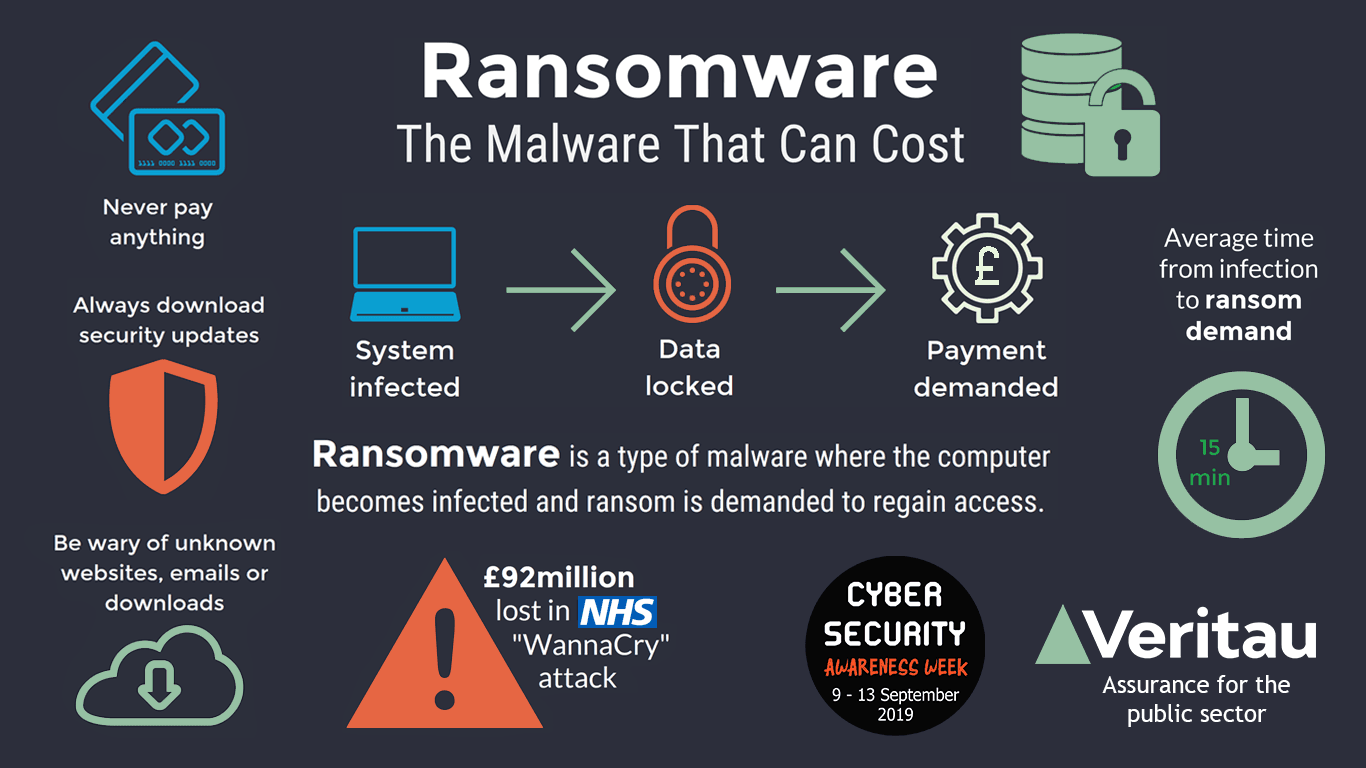
Ransomware is a type of malicious software (malware) that encrypts your files or locks you out of your system, then demands a ransom payment in exchange for restoring access.
Think of it as digital kidnapping—your data is held hostage, and the criminals demand payment for its release.
Simple analogy: Imagine someone breaking into your house, putting all your valuables in a safe, and demanding money for the combination.
How Ransomware Works: The Anatomy of an Attack
1. Delivery
The ransomware gets into your system through:
-
Phishing emails – Fake emails with malicious attachments or links
-
Malicious downloads – Infected software, cracked apps, or fake updates
-
Exploiting vulnerabilities – Unpatched software or outdated systems
-
Remote Desktop Protocol (RDP) – Weak passwords on remote access
-
USB drives – Infected devices plugged into your computer
-
Drive-by downloads – Visiting compromised websites that automatically download malware
2. Installation
Once inside, the ransomware installs itself quietly. It may:
-
Disable antivirus software
-
Delete shadow copies (backup files)
-
Establish persistence (ensure it runs even after reboot)
3. Encryption
This is the moment of no return. The ransomware:
-
Scans your system for files (documents, photos, databases, etc.)
-
Encrypts them using strong encryption (AES, RSA)
-
Renames files (often adding extensions like
.encrypted,.locky, or.crypt) -
Leaves a ransom note (usually as
README.txtorHOW_TO_DECRYPT.txt)
4. Ransom Demand
A message appears demanding payment—typically in cryptocurrency (Bitcoin, Monero) to stay anonymous.
Ransom note includes:
-
Amount demanded (can range from $100 to millions)
-
Payment deadline (often 48-72 hours)
-
Cryptocurrency wallet address
-
Instructions to pay
-
Warnings: "Don't contact authorities," "Don't try to decrypt yourself"
5. Decryption (If You Pay)
In theory, after payment, you receive a decryption key to unlock your files. But:
-
No guarantee – Criminals may not send the key
-
Double extortion – They may demand more money
-
You become a target – They know you're willing to pay
Types of Ransomware
| Type | What It Does | Example |
|---|---|---|
| Encrypting Ransomware | Encrypts files using complex algorithms | WannaCry, LockBit, REvil |
| Locker Ransomware | Locks you out of your entire system | Police-themed ransomware |
| Double Extortion | Encrypts files AND threatens to leak stolen data | Maze, Clop, DarkSide |
| Triple Extortion | Adds a third threat (e.g., DDoS attacks, notifying customers) | Growing trend |
| Ransomware-as-a-Service (RaaS) | Criminals "rent" ransomware to other attackers | GandCrab, LockBit |
Notable Ransomware Attacks
1. WannaCry (2017)
-
Infected 230,000+ computers across 150+ countries
-
Targeted Windows systems using NSA-leaked exploit
-
Ransom demand: $300-$600
-
Global damage: $4+ billion
2. Colonial Pipeline (2021)
-
Shut down the largest fuel pipeline in the US
-
Caused fuel shortages and panic buying
-
Paid $4.4 million ransom (some recovered)
3. JBS Foods (2021)
-
World's largest meat supplier
-
Paid $11 million ransom
-
Disrupted global meat supply chains
4. Kaseya (2021)
-
Targeted managed service providers
-
Affected 800-1,500+ businesses
-
Ransom demand: $70 million
5. Costa Rican Government (2022)
-
Entire government systems paralyzed
-
National emergency declared
-
Tax systems, healthcare, and public services disrupted
Who Does Ransomware Target?
Ransomware doesn't discriminate. Anyone with data is a target:
| Target | Why They're Targeted |
|---|---|
| Individuals | Less security, willing to pay for photos/family data |
| Small Businesses | Less protection, can't survive data loss |
| Large Enterprises | Can pay huge ransoms |
| Hospitals | Critical data; can't afford downtime |
| Schools & Universities | Sensitive data; limited IT budgets |
| Government | High-profile; essential services |
| Critical Infrastructure | Can cause physical damage (oil, water, power) |
Alert: 85% of ransomware attacks target small and medium businesses.
Ransomware Statistics (2024-2026)
-
Global cost: Projected to exceed $265 billion annually by 2031
-
Frequency: A new ransomware attack every 11 seconds
-
Average ransom: $900,000 (up from $120,000 in 2020)
-
Organizations affected: 71% globally
-
Percentage of attacks: 60% from phishing, 35% from RDP exploits
-
Double extortion: 45% of attacks now involve data theft
-
Cybersecurity jobs gap: 3.4 million unfilled positions
How to Protect Yourself from Ransomware
Best Practices for Individuals
| Action | Why It Matters |
|---|---|
| Backup your data | 3-2-1 rule: 3 copies, 2 media, 1 offsite |
| Update software regularly | Patches security vulnerabilities |
| Beware of suspicious emails | Never click unknown links or attachments |
| Use strong passwords | Unique passwords + multi-factor authentication (MFA) |
| Install antivirus | Real-time protection |
| Don't use unknown USB drives | Could contain malware |
| Turn off RDP if not needed | Prevents brute force attacks |
Best Practices for Businesses
| Action | Why It Matters |
|---|---|
| Employee training | Human error is the biggest risk |
| Zero Trust Architecture | Trust nothing, verify everything |
| Network segmentation | Limit lateral movement |
| Implement MFA everywhere | Adds critical security layer |
| Endpoint Detection & Response (EDR) | Advanced threat detection |
| Regular penetration testing | Find vulnerabilities before attackers do |
| Incident response plan | Be prepared to act quickly |
| Use managed backup solutions | Immutable backups that can't be encrypted |
Should You Pay the Ransom?
The Short Answer: NO
Why You Shouldn't Pay:
| Reason | Explanation |
|---|---|
| No guarantee | Criminals may not decrypt your files |
| Double extortion | They may leak your data anyway |
| You become a target | They know you'll pay again |
| Illegal | Paying ransoms may violate sanctions |
| Funds crime | Your money fuels other crimes |
| Encourages more attacks | Profitable ransomware spreads more |
What to Do Instead:
-
Don't panic – Stay calm.
-
Disconnect from the network – Prevent spread.
-
Report the attack – Contact authorities (FBI, CISA, local cybercrime).
-
Don't restart – May trigger further encryption.
-
Consult cybersecurity experts – Professional help.
-
Restore from backup – If you have clean backups.
-
Preserve evidence – Keep ransom note, system logs, etc.
Ransomware Attack Response Checklist
Immediate Actions (First 30 Minutes):
-
Disconnect infected systems from network (WiFi, Ethernet)
-
Shut down shared drives to prevent spread
-
Activate your incident response plan
-
Document everything (who, what, when)
-
Notify leadership/IT team
-
Don't power off devices (unless instructed by experts)
Within 24 Hours:
-
Contact your insurance provider (cyber insurance)
-
Report to law enforcement
-
Engage cybersecurity forensics team
-
Identify the ransomware variant
-
Assess backup availability
-
Communicate with stakeholders
Long-Term Recovery:
-
Restore from clean backups
-
Patch vulnerabilities
-
Implement additional security measures
-
Review and improve security posture
-
Update incident response plan
Emerging Trends and Future Threats
| Trend | What It Means |
|---|---|
| Ransomware-as-a-Service (RaaS) | Anyone can launch attacks, no technical skills needed |
| AI-powered ransomware | Smarter, more evasive attacks |
| Triple extortion | Threats to notify customers, partners, and media |
| Cloud-targeted ransomware | Attacking cloud infrastructure and SaaS |
| IoT ransomware | Targeting smart devices and industrial systems |
| Quantum computing threats | Could break current encryption (future) |
Quick Reference: Ransomware Protection Cheat Sheet
| Category | Action |
|---|---|
| Backup | 3-2-1 rule, immutable backups |
| Phishing training, spam filters | |
| Access | MFA, least privilege principle |
| Software | Auto-updates, vulnerability scanning |
| Network | Segmentation, firewalls |
| Endpoint | EDR, antivirus |
| Planning | Incident response, DR plan |
| Testing | Penetration testing, tabletop exercises |
Final Thought: Prevention is Cheaper Than the Cure
Ransomware isn't going away—it's evolving, growing, and becoming more sophisticated. But here's the good news: most attacks are preventable.
The criminals rely on human error, outdated systems, and weak security. By:
-
Training your team
-
Backing up religiously
-
Keeping software updated
-
Using MFA
-
Planning for the worst
...you can dramatically reduce your risk.
Remember:
-
Ransomware is a business—for criminals. Don't make it profitable.
-
Your data is valuable. Protect it like it is.
-
When in doubt, consult cybersecurity professionals.
The best defense against ransomware isn't paying up—it's being prepared.
Contact Us
Phone: +91 9667708830
Email: info@codingnow.in
Website: https://codingnow.in/
Address:
2nd Floor, Kapil Vihar (Opp. Metro Pillar No.354)
Pitampura, New Delhi – 110034
Backlink to main website: Explore Python and AI courses at Coding Now – Gurukul of AI
