The Big Question
Let us ask you something directly.
You have installed a Python package globally using pip. Your project works. Then you start a second project that needs a different version of the same package. After installing the new version, your first project breaks. You think to yourself: "Why does this happen? How do I keep projects from interfering with each other?"
We hear this question every week from students who visit our center near Pitampura Metro.
Here is the honest answer: Python applications often need specific versions of libraries. One application might require version 1.0 of a package, while another needs version 2.0 . If you install everything globally, these requirements are in conflict, and installing one version will leave the other application unable to run .
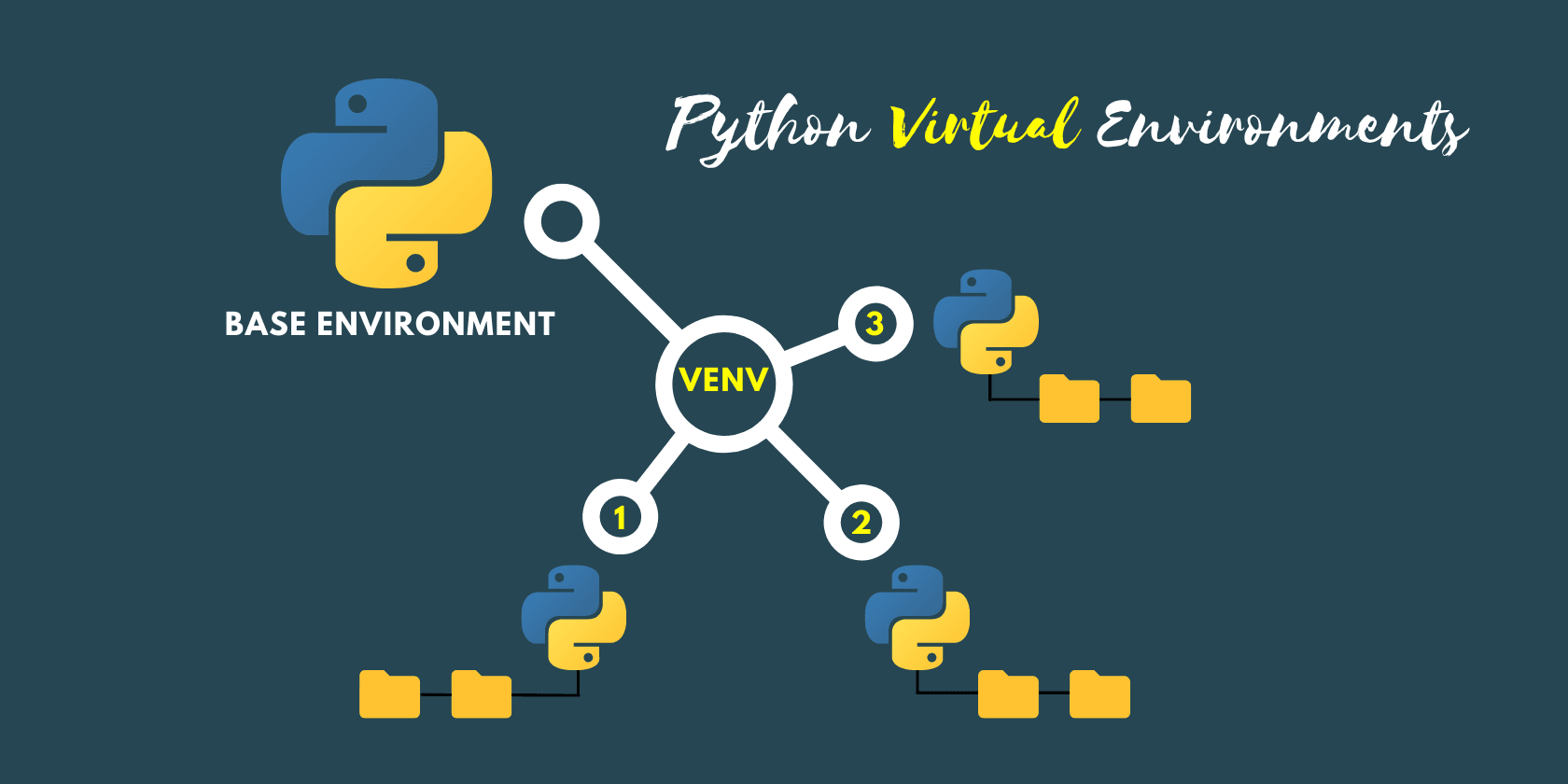
Virtual environments solve this by giving each project its own isolated Python installation with its own set of packages .
Step 3: What Is a Virtual Environment?
The Simple Definition:
A virtual environment is an isolated, self-contained directory that contains a specific version of Python and its own independent set of installed packages .
Think of It Like This:
Imagine each project as a separate workshop. One workshop has version 1.0 of a tool. Another workshop has version 2.0 of the same tool. The tools are independent and do not interfere with each other. Virtual environments do exactly this for Python packages.
What a Virtual Environment Contains:
| Component | What It Is |
|---|---|
| Python Interpreter | A copy or symlink of the Python binary |
| Site Packages | The directory where installed packages are stored |
| Configuration File | A pyvenv.cfg file that indicates where to find the standard library |
Step 4: Why You Need Virtual Environments
1. Avoid Dependency Conflicts
When you have multiple projects, they often require different versions of the same libraries. A virtual environment ensures each project has exactly what it needs .
2. Keep Your System Python Clean
Installing too many packages globally can clutter your system Python. Virtual environments keep the global installation clean and stable .
3. Make Projects Reproducible
When you share a project, the requirements.txt file allows others to recreate the exact environment. This eliminates the "it works on my machine" problem .
4. Enable Safe Experimentation
You can test different package versions in different environments without risk. If something breaks, you simply delete the environment and start fresh .
Step 5: The Built-in Tool: venv
Python 3.3 and later include the venv module in the standard library . It is the simplest and most common way to create virtual environments.
Creating a Virtual Environment:
Navigate to your project directory and run:
python -m venv .venv
This creates a .venv directory containing the virtual environment . The .venv name is a common convention that keeps the directory hidden and is auto-detected by many editors .
Activating the Virtual Environment:
| Operating System | Command |
|---|---|
| Windows | .venv\Scripts\activate |
| macOS / Linux | source .venv/bin/activate |
After activation, your terminal prompt will change to show the environment name, indicating that python now refers to the environment's interpreter .
Deactivating:
deactivate
Step 6: Managing Packages with pip
Inside an active virtual environment, pip installs packages only into that environment .
Basic Commands:
| Command | What It Does |
|---|---|
python -m pip install package_name |
Installs the latest version |
python -m pip install package_name==1.2.3 |
Installs a specific version |
python -m pip install --upgrade package_name |
Upgrades to the latest version |
python -m pip uninstall package_name |
Removes the package |
python -m pip list |
Lists installed packages |
python -m pip show package_name |
Displays details about a package |
python -m pip freeze > requirements.txt |
Creates a list of dependencies |
The requirements.txt File:
A common convention is to use pip freeze to save the list of installed packages to a requirements.txt file . This file can be shared with your project . Others can recreate the exact same environment using:
python -m pip install -r requirements.txt
Step 7: venv vs conda vs virtualenv
| Feature | venv |
conda |
virtualenv |
|---|---|---|---|
| Built-in | Yes (Python 3.3+) | No (Anaconda distribution) | No (third-party) |
| Language Support | Python only | Python, R, C++, CUDA | Python only |
| Best For | Lightweight web development, standard applications | Data science, machine learning, complex binaries | Legacy projects (Python 2.7 support) |
For most beginners and general Python projects, venv is the recommended starting point. If you are working with data science tools like NumPy or TensorFlow, conda may be more suitable because it handles non-Python dependencies .
Step 8: Best Practices
| Practice | Why It Matters |
|---|---|
| Use one virtual environment per project | Prevents cross-project dependency conflicts |
Name the directory .venv |
Auto-detected by editors, kept out of the way |
| Do not commit the environment directory to Git | It is large and can be recreated from requirements.txt |
Use python -m pip to avoid ambiguity |
Ensures you are using pip from the correct environment |
Pin versions with pip freeze |
Makes environments reproducible |
| Treat environments as disposable | Delete and recreate if something breaks |
Step 9: Frequently Asked Questions
Q1: What is a Python virtual environment in simple terms?
A virtual environment is an isolated folder that contains its own Python interpreter and packages. It allows each project to have its own dependencies without affecting other projects or your system Python.
Q2: Why do I need virtual environments?
Without virtual environments, different projects with conflicting package versions can break each other. Virtual environments prevent these conflicts and make projects portable .
Q3: What is the difference between venv and conda?
venv is a lightweight, built-in tool for creating Python-only virtual environments. conda is a more powerful package and environment manager that can handle non-Python dependencies like C++ libraries and GPU drivers .
Q4: Should I commit the virtual environment folder to Git?
No. The .venv folder should be added to .gitignore because it is large and can be recreated from requirements.txt .
Q5: What is requirements.txt and why is it useful?
requirements.txt is a file that lists all packages and their versions. It allows others to recreate the exact environment using pip install -r requirements.txt .
Step 10: Final Tagline
"Virtual Environments Keep Your Projects Clean and Your Dependencies Happy. Learn Them Early."
Hashtags:
#Python #VirtualEnvironment #Venv #LearnPython #CodingForBeginners #CodingNow #GurukulOfAI
Step 11: A Note on Your Python Journey
Virtual environments are one of the most important tools for professional Python development. They might seem like an extra step at first, but they save hours of debugging and prevent the most frustrating dependency conflicts. Once you start using them, you will wonder how you managed without them.
At Coding Now, we help students build the skills to write clean, professional Python code. Come visit us. Take a free demo class. See what is possible.
Your Python journey starts now.
Contact Us
Phone: +91 9667708830
Email: info@codingnow.in
Website: https://codingnow.in/
Address:
2nd Floor, Kapil Vihar (Opp. Metro Pillar No.354)
Pitampura, New Delhi – 110034
Backlink to main website: Explore Python and AI courses at Coding Now – Gurukul of AI
