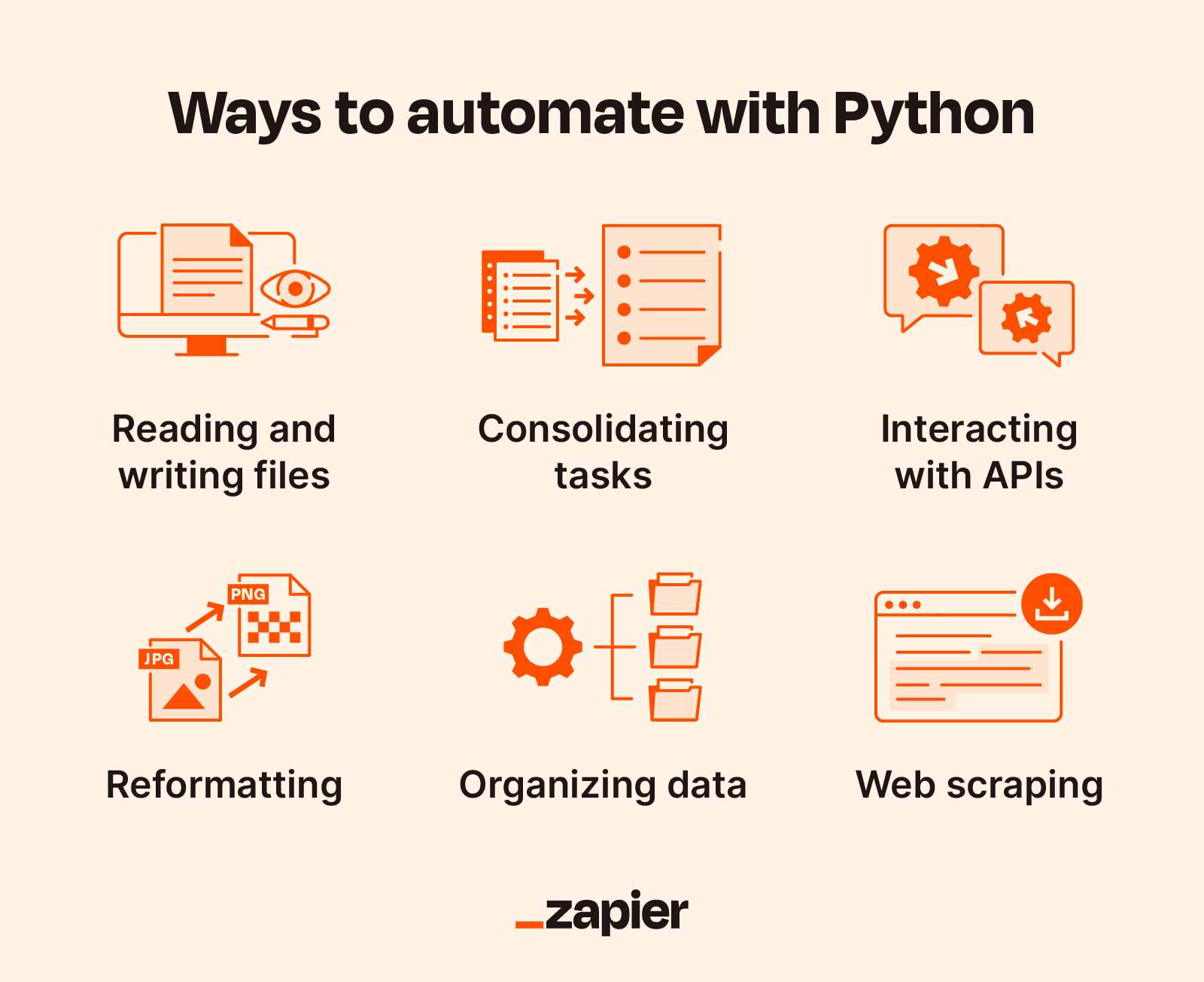
Python Automation Ideas for Students
Introduction: Why Automate as a Student?
As a student, you wear many hats—learner, researcher, project manager, and deadline tracker. Repetitive tasks consume your mental energy and steal precious time. Python automation solves this by handling boring, repetitive work so you can focus on what actually matters: learning and growing.
What is Automation in Python?
Automation means writing code that performs tasks without human intervention. Instead of manually:
-
Sorting files → Script does it
-
Checking deadlines → Script reminds you
-
Creating flashcards → Script generates them
Python is perfect for automation because:
-
Easy to learn - Simple syntax
-
Batteries included - Built-in libraries for everything
-
Cross-platform - Works on Windows, Mac, Linux
-
Huge ecosystem - Thousands of libraries available
The Core Concepts
1. File I/O (Input/Output)
Reading and writing files is the foundation of automation.
# Reading files
with open('file.txt', 'r') as f:
    content = f.read()

# Writing files
with open('file.txt', 'w') as f:
    f.write('Hello World')

# Working with JSON (structured data)
import json
data = json.load(open('data.json'))
json.dump(data, open('output.json', 'w'))
2. OS and Path Operations
Navigating the file system programmatically.
import os
from pathlib import Path

# Get current directory
os.getcwd()

# List files
os.listdir('/path/to/folder')

# Create directories
os.makedirs('new_folder', exist_ok=True)

# Check if file exists
Path('file.txt').exists()

# Get file extension
Path('image.jpg').suffix  # .jpg
3. Date and Time Handling
Working with deadlines, schedules, and timestamps.
from datetime import datetime, date, timedelta

# Current date/time
now = datetime.now()
today = date.today()

# Format dates
formatted = now.strftime('%Y-%m-%d %H:%M')

# Parse dates
parsed = datetime.strptime('2026-07-20', '%Y-%m-%d')

# Date arithmetic
tomorrow = today + timedelta(days=1)
days_left = (exam_date - today).days
4. Web Scraping
Extracting data from websites (course materials, research papers).
import requests
from bs4 import BeautifulSoup

# Fetch webpage
response = requests.get('https://example.com')
soup = BeautifulSoup(response.text, 'html.parser')

# Find elements
links = soup.find_all('a')
titles = soup.find_all('h1')
5. Email Automation
Sending notifications and reminders programmatically.
import smtplib
from email.mime.text import MIMEText

# Create email
msg = MIMEText('Hello from Python!')
msg['Subject'] = 'Automated Email'

# Send via SMTP
server = smtplib.SMTP('smtp.gmail.com', 587)
server.starttls()
server.login('email', 'password')
server.send_message(msg)
6. APIs and Web Services
Interacting with online services (Google Calendar, Notion, Slack).
import requests

# GET request
response = requests.get('https://api.example.com/data')

# POST request
response = requests.post('https://api.example.com/create',
                        json={'name': 'Task'})

# With authentication
headers = {'Authorization': 'Bearer YOUR_TOKEN'}
response = requests.get(url, headers=headers)
7. Scheduling
Running scripts automatically at specific times.
import schedule
import time

def job():
    print("Task executed!")

# Schedule tasks
schedule.every().day.at("09:00").do(job)
schedule.every(1).hour.do(job)
schedule.every().monday.do(job)

# Run scheduler
while True:
    schedule.run_pending()
    time.sleep(1)
Understanding Automation Patterns
Pattern 1: ETL (Extract, Transform, Load)
Used for processing data from one format to another.
Extract → Read data from source (file, API, database)
Transform → Clean, filter, modify data
Load → Save to destination (file, database, API)
Example: Downloading grades from a website, calculating GPA, saving to a spreadsheet.
Pattern 2: Event-Triggered
Action happens when a condition is met.
Watch → Listen for event (new file, deadline approaching)
Check → Evaluate condition
Act → Perform automation
Example: When a file appears in Downloads → Automatically organize it.
Pattern 3: Scheduled Batch
Run at regular intervals.
Schedule → Set time (daily, weekly, hourly)
Execute → Run the automation
Report → Log results
Example: Every morning, check assignment deadlines and send an email reminder.
Pattern 4: Pipeline
Chain multiple operations together.
Input → Process 1 → Process 2 → Process 3 → Output
Example: Download lecture → Extract text → Generate summary → Save to notes.
Student Automation Categories
1. Organization Automations
Keep your digital life tidy.
| Automation | What It Does | Why It Helps |
|---|---|---|
| File Organizer | Sorts files by type | Saves 30 min/week |
| Note Manager | Structures and searches notes | Saves 1 hour/week |
| Backup Script | Copies important files | Prevents data loss |
| Desktop Cleaner | Removes old files | Reduces clutter |
2. Academic Automations
Help with studying and assignments.
| Automation | What It Does | Why It Helps |
|---|---|---|
| Flashcard Generator | Creates study cards | Better exam prep |
| Grade Calculator | Tracks performance | Knows your standing |
| Citation Manager | Formats references | Saves 2 hours/paper |
| Exam Schedule | Shows upcoming exams | No missed exams |
| Study Timer | Pomodoro technique | Better focus |
3. Communication Automations
Handle emails and messages.
| Automation | What It Does | Why It Helps |
|---|---|---|
| Email Reminders | Sends deadline alerts | Never miss submissions |
| Bulk Emailer | Sends to multiple people | Saves time on group work |
| Follow-up Bot | Tracks pending replies | Professional communication |
| Schedule Finder | Finds meeting times | Efficient coordination |
4. Research Automations
For projects and papers.
| Automation | What It Does | Why It Helps |
|---|---|---|
| Web Scraper | Collects data | Fast research |
| PDF Extractor | Gets text from PDFs | Easy analysis |
| Citation Finder | Gets references | Complete bibliography |
| Summarizer | Shortens texts | Quick reading |
| Data Visualizer | Creates charts | Better presentations |
5. Productivity Automations
Improve daily workflow.
| Automation | What It Does | Why It Helps |
|---|---|---|
| Launcher | Opens all apps at once | Faster setup |
| Clipboard Manager | Saves copy history | Less typing |
| URL Shortener | Makes short links | Clean sharing |
| QR Generator | Creates QR codes | Easy access |
How to Think About Automation
Step 1: Identify the Problem
Ask yourself:
-
What do I do repeatedly?
-
What takes more than 5 minutes?
-
What am I forgetting?
Step 2: Break It Down
-
What are the inputs? (files, data, user input)
-
What are the outputs? (processed files, emails, reports)
-
What are the steps? (read → process → save)
Step 3: Choose Tools
-
Simple: Built-in libraries (
os,shutil,json) -
Web:
requests,beautifulsoup4,selenium -
Data:
pandas,openpyxl -
Email:
smtplib,yagmail -
Scheduling:
schedule,apscheduler -
Automation:
pyautogui(GUI automation)
Step 4: Build and Test
-
Write a minimal version
-
Add error handling
-
Add logging
-
Schedule if needed
Common Automation Challenges and Solutions
Challenge 1: Error Handling
try:
    # Risky operation
    result = risky_function()
except FileNotFoundError:
    print("File not found, skipping...")
except PermissionError:
    print("Permission denied, check access")
except Exception as e:
    print(f"Unexpected error: {e}")
Challenge 2: File Paths
# Bad - hardcoded
file = 'C:/Users/John/Desktop/file.txt'

# Good - dynamic
from pathlib import Path
desktop = Path.home() / 'Desktop'
file = desktop / 'file.txt'

# Cross-platform compatible
# Works on Windows, Mac, Linux automatically
Challenge 3: Dealing with Large Files
# Bad - loads entire file
data = open('large.csv').read()  # Memory error!

# Good - processes line by line
with open('large.csv', 'r') as f:
    for line in f:
        process(line)  # Memory efficient

# Or use generators
def read_large_file(file):
    with open(file) as f:
        for line in f:
            yield line
Challenge 4: Working with APIs
# Always handle API limits
import time

def api_call_with_retry(url, max_retries=3):
    for attempt in range(max_retries):
        try:
            response = requests.get(url)
            if response.status_code == 200:
                return response.json()
        except requests.exceptions.RequestException:
            time.sleep(2 ** attempt)  # Exponential backoff
    return None
Challenge 5: Security
# Never hardcode passwords
# Bad
password = "mysecret123"

# Good
import getpass
password = getpass.getpass("Enter password: ")

# Or use environment variables
import os
password = os.environ.get('PASSWORD')
Designing Your Automation
Good Automation Design
Specific - Solves one clear problem
Reliable - Handles errors gracefully
Simple - Easy to understand and modify
Documented - Comments explain what it does
Configurable - Settings are easy to change
Bad Automation Design
Over-engineered - Tries to do everything
Fragile - Breaks with any change
Hard-coded - Needs code changes to work
No logging - Can't see what happened
No error handling - Fails silently
Example: Building a Deadline Reminder
Let's build a proper automation with good design:
"""
Deadline Reminder System
Purpose: Send email reminders for upcoming deadlines
"""
import json
import smtplib
from datetime import datetime, date
from email.mime.text import MIMEText
from pathlib import Path
import logging

# Setup logging
logging.basicConfig(
    level=logging.INFO,
    format='%(asctime)s - %(levelname)s - %(message)s',
    handlers=[logging.FileHandler('deadline.log'), logging.StreamHandler()]
)

class DeadlineReminder:
    """
    Handles deadline tracking and email notifications
    """

    def __init__(self, config_file='config.json'):
        self.config = self.load_config(config_file)
        self.tasks = self.load_tasks()

    def load_config(self, config_file):
        """Load configuration from JSON file"""
        try:
            with open(config_file) as f:
                return json.load(f)
        except FileNotFoundError:
            logging.error("Config file not found")
            return {}

    def load_tasks(self):
        """Load tasks from JSON file"""
        try:
            with open(self.config.get('tasks_file', 'tasks.json')) as f:
                return json.load(f)
        except FileNotFoundError:
            return []

    def save_tasks(self):
        """Save tasks to JSON file"""
        with open(self.config.get('tasks_file', 'tasks.json'), 'w') as f:
            json.dump(self.tasks, f, indent=2)

    def add_task(self, name, course, due_date, priority='medium'):
        """Add a new task"""
        task = {
            'name': name,
            'course': course,
            'due_date': due_date,
            'priority': priority,
            'completed': False,
            'created': datetime.now().isoformat()
        }
        self.tasks.append(task)
        self.save_tasks()
        logging.info(f"Task added: {name} - Due: {due_date}")

    def get_upcoming(self, days=3):
        """Get tasks due within specified days"""
        today = date.today()
        upcoming = []

        for task in self.tasks:
            if task['completed']:
                continue

            due = datetime.strptime(task['due_date'], '%Y-%m-%d').date()
            days_left = (due - today).days

            if 0 <= days_left <= days:
                upcoming.append((task, days_left))

        return sorted(upcoming, key=lambda x: x[1])

    def send_reminders(self):
        """Send email reminders for upcoming tasks"""
        upcoming = self.get_upcoming()

        if not upcoming:
            logging.info("No upcoming deadlines")
            return

        body = "📚 UPCOMING DEADLINE REMINDER\n\n"
        body += "Here are your deadlines:\n\n"

        for task, days in upcoming:
            priority_emoji = '🔴' if task['priority'] == 'high' else '🟡'
            body += f"{priority_emoji} {task['name']} ({task['course']})\n"
            body += f"   Due: {task['due_date']} - {days} days left\n\n"

        body += "Good luck! 🎓"

        # Send email
        self._send_email(
            self.config.get('email_to'),
            "📚 Assignment Deadline Reminder",
            body
        )

    def _send_email(self, to_email, subject, body):
        """Internal method to send email"""
        try:
            # Configuration
            sender = self.config.get('email_sender')
            password = self.config.get('email_password')

            if not sender or not password:
                logging.warning("Email not configured - printing instead")
                print(body)
                return

            # Create message
            msg = MIMEText(body)
            msg['Subject'] = subject
            msg['From'] = sender
            msg['To'] = to_email

            # Send
            server = smtplib.SMTP('smtp.gmail.com', 587)
            server.starttls()
            server.login(sender, password)
            server.send_message(msg)
            server.quit()

            logging.info(f"Email sent to {to_email}")

        except Exception as e:
            logging.error(f"Email failed: {e}")

# Usage
reminder = DeadlineReminder()
reminder.add_task("Research Paper", "English", "2026-07-20", "high")
reminder.send_reminders()
Learning Path
Beginner (Weeks 1-2)
-
Learn Python basics (variables, loops, functions)
-
Work with files (
open,read,write) -
Understand
osandshutilfor file operations
Intermediate (Weeks 3-4)
-
Work with JSON and CSV
-
Use
datetimefor dates and times -
Build simple web scrapers with
requests
Advanced (Weeks 5-6)
-
Build classes and modules
-
Add error handling and logging
-
Schedule scripts
-
Work with APIs
Best Practices Checklist
| ✅ | Practice |
|---|---|
| ☐ | Use with statements for file handling |
| ☐ | Add error handling with try/except |
| ☐ | Use Path from pathlib instead of string paths |
| ☐ | Log important events |
| ☐ | Keep secrets in environment variables |
| ☐ | Write functions with single responsibility |
| ☐ | Add docstrings to functions |
| ☐ | Test with small data first |
| ☐ | Use version control (git) |
| ☐ | Document your automations |
Common Mistakes to Avoid
-
Not handling errors - Scripts will fail eventually
-
Hardcoding paths - Scripts break on different machines
-
No logging - Can't debug when something goes wrong
-
Over-engineering - Keep it simple
-
Not testing - Test with sample data first
-
Sensitive data in code - Never hardcode passwords
-
No backups - Save data before automation
Quick Reference: Libraries by Use Case
| Use Case | Best Libraries |
|---|---|
| File Operations | os, shutil, pathlib |
| Data Storage | json, csv, pickle |
| Web Scraping | requests, beautifulsoup4, selenium |
smtplib, yagmail, sendgrid |
|
| Scheduling | schedule, apscheduler, cron |
| GUI Automation | pyautogui, keyboard, mouse |
| Excel/Spreadsheets | openpyxl, pandas |
PyPDF2, pdfplumber, pypdf |
|
| Databases | sqlite3, psycopg2 |
| Notifications | plyer, pushbullet |
| APIs | requests, httpx |
Final Thoughts
Automation is a superpower for students. It:
-
Saves hours of manual work
-
Reduces stress and forgetfulness
-
Builds problem-solving skills
-
Creates portfolio projects
-
Prepares you for real-world development
Start small, solve one problem at a time, and gradually build your automation toolkit. The key is understanding the concepts—once you know what's possible, you'll see automation opportunities everywhere!
Contact Us
Phone: +91 9667708830
Email: info@codingnow.in
Website: https://codingnow.in/
Address:
2nd Floor, Kapil Vihar (Opp. Metro Pillar No.354)
Pitampura, New Delhi – 110034
Backlink to main website: Explore Python and AI courses at Coding Now – Gurukul of AI
