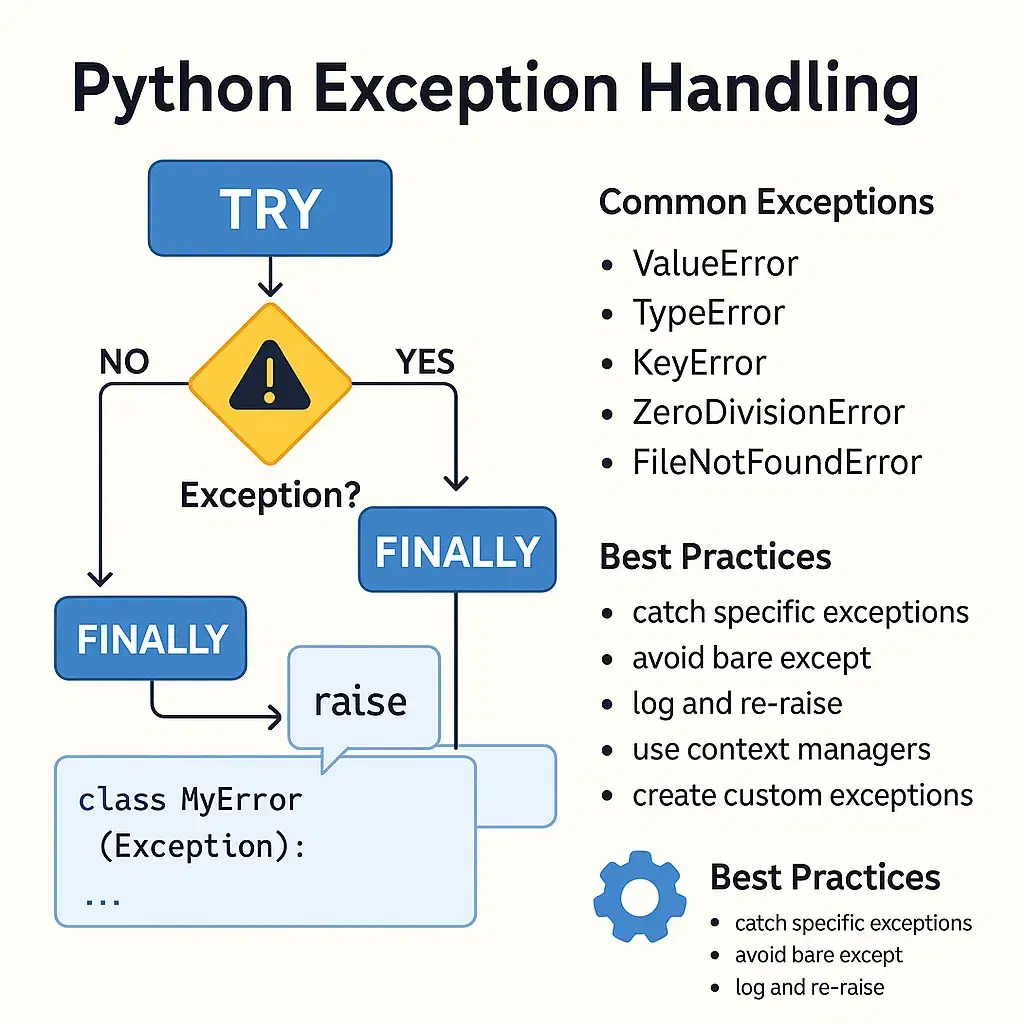
Why Error Handling Matters
Errors are inevitable in programming. How you handle them separates reliable code from fragile code . Good error handling:
-
Prevents crashes in production
-
Provides meaningful feedback to users
-
Makes debugging easier
-
Creates a better user experience
-
Builds robust, professional applications
Let's explore the best practices for error handling in Python.
1. Use Specific Exceptions (Not Generic)
Bad Practice
try:
    result = int(user_input)
except Exception:  # Too broad - catches everything
    print("Error!")
Good Practice
try:
    result = int(user_input)
except ValueError:  # Only catches value errors
    print("Please enter a valid number")
except TypeError:
    print("Input must be a string")
Why: Catching generic Exception hides unexpected bugs and makes debugging impossible . Always catch the most specific exception you can handle.
2. Always Handle Specific Exceptions in Order
Python checks except blocks in order—from most specific to most general .
try:
    data = json.loads(response)
    process(data)
except json.JSONDecodeError:
    print("Invalid JSON response")
except KeyError:
    print("Missing required field in data")
except Exception as e:  # Fallback for unexpected errors
    print(f"Unexpected error: {e}")
3. Use else for Code That Should Run on Success
The else block runs only when no exception occurs—keeping your try block focused .
try:
    file = open('data.txt', 'r')
except FileNotFoundError:
    print("File not found")
else:
    # Only runs if file opened successfully
    content = file.read()
    print("File read successfully")
    file.close()
4. Always Use finally for Cleanup
The finally block runs whether an exception occurs or not . Perfect for cleanup operations.
try:
    connection = database.connect()
    connection.execute(query)
except DatabaseError as e:
    print(f"Database error: {e}")
finally:
    connection.close()  # Always closes the connection
Better approach with context managers:
with open('file.txt', 'r') as file:
    # Automatically closes when block exits
    content = file.read()
5. Raise Exceptions to Propagate Errors
When you can't handle an error, raise it to let the caller handle it .
def validate_age(age):
    if age < 0:
        raise ValueError(f"Age cannot be negative: {age}")
    if age > 150:
        raise ValueError(f"Age seems unrealistic: {age}")
    return age

# Caller handles the exception
try:
    age = validate_age(int(input("Enter age: ")))
    print(f"Valid age: {age}")
except ValueError as e:
    print(f"Invalid age: {e}")
6. Create Custom Exception Classes
For domain-specific errors, create your own exception classes .
class InsufficientFundsError(Exception):
    """Raised when account balance is insufficient"""
    pass

class AccountNotFoundError(Exception):
    """Raised when account doesn't exist"""
    pass

class BankAccount:
    def withdraw(self, amount):
        if amount > self.balance:
            raise InsufficientFundsError(
                f"Balance: {self.balance}, Attempted withdrawal: {amount}"
            )
Benefits:
-
Clearer error semantics
-
Easier to catch specific errors
-
Better documentation
7. Use raise from for Exception Chaining
When you catch one exception but want to raise another, use raise ... from to preserve the original exception.
try:
    user_data = get_user_data(user_id)
except DatabaseError as e:
    raise ApplicationError("Failed to fetch user") from e
Why: It maintains the full exception chain, making debugging much easier.
8. Log Exceptions with Context
Always log exceptions with sufficient context .
import logging

logging.basicConfig(level=logging.ERROR)

try:
    result = process_payment(user_id, amount)
except PaymentError as e:
    logging.error(
        f"Payment failed for user {user_id}",
        exc_info=True  # Includes full stack trace
    )
    raise
9. Don't Swallow Exceptions
Never catch an exception and do nothing with it.
Bad Practice
try:
    data = load_data()
except Exception:
    pass  # Silent failure - worst practice!
Good Practice
try:
    data = load_data()
except Exception as e:
    logging.error(f"Failed to load data: {e}")
    # Re-raise or handle appropriately
    raise
10. Validate Inputs Proactively
Fail early with clear validation messages.
def process_order(order_data):
    # Validate at the start
    if not isinstance(order_data, dict):
        raise TypeError("order_data must be a dictionary")

    if 'items' not in order_data:
        raise KeyError("Missing required field: 'items'")

    if not order_data['items']:
        raise ValueError("Order must contain at least one item")

    # Process order...
11. Use Assertions for Development, Not Error Handling
Assertions are for catching programmer errors during development, not runtime error handling .
# Development - catches logical errors
def calculate_average(values):
    assert len(values) > 0, "List cannot be empty"
    return sum(values) / len(values)

# Runtime - proper error handling
def safe_average(values):
    if not values:
        raise ValueError("Empty list provided")
    return sum(values) / len(values)
12. Handle Specific Exceptions in Context Managers
Use contextlib.suppress to intentionally ignore specific exceptions:
import contextlib

# Instead of:
try:
    os.remove('temp.txt')
except FileNotFoundError:
    pass

# Use suppress:
with contextlib.suppress(FileNotFoundError):
    os.remove('temp.txt')
13. Use try with Multiple Except Blocks for Multiple Operations
Keep try blocks focused and small .
Bad Practice
try:
    user = get_user()
    order = get_order(user.id)
    total = calculate_total(order)
    send_email(user.email, total)
except Exception as e:
    print(f"Error: {e}")
Good Practice
try:
    user = get_user()
except UserNotFoundError as e:
    print(f"User error: {e}")
    return

try:
    order = get_order(user.id)
except OrderError as e:
    print(f"Order error: {e}")
    return

# Rest of the code...
Create Wrapper Functions for Common Patterns
Use decorators to handle common error scenarios:
import functools
import time

def retry(max_attempts=3, delay=1):
    def decorator(func):
        @functools.wraps(func)
        def wrapper(*args, **kwargs):
            for attempt in range(max_attempts):
                try:
                    return func(*args, **kwargs)
                except Exception as e:
                    if attempt == max_attempts - 1:
                        raise
                    time.sleep(delay)
            return None
        return wrapper
    return decorator

@retry(max_attempts=3, delay=2)
def fetch_data(url):
    response = requests.get(url)
    response.raise_for_status()
    return response.json()
15. Document the Exceptions Your Function Raises
Always document what exceptions your function can raise.
def process_transaction(account_id: int, amount: float) -> bool:
    """
    Process a financial transaction.

    Args:
        account_id: The account identifier
        amount: The transaction amount (positive for credit)

    Returns:
        True if transaction succeeded

    Raises:
        AccountNotFoundError: If account doesn't exist
        InsufficientFundsError: If account has insufficient balance
        InvalidAmountError: If amount is negative or zero
    """
    # Implementation...
16. Use Python's Built-in Exception Hierarchy
| Exception | When to Raise |
|---|---|
ValueError |
Invalid value passed to function |
TypeError |
Wrong data type passed |
KeyError |
Missing dictionary key |
IndexError |
Invalid list index |
AttributeError |
Missing attribute |
FileNotFoundError |
File doesn't exist |
NotImplementedError |
Abstract method not implemented |
RuntimeError |
General errors with no better class |
PermissionError |
Insufficient permissions |
17. Handle Connection and I/O Errors Gracefully
import requests
import time

def safe_request(url, max_retries=3):
    for attempt in range(max_retries):
        try:
            response = requests.get(url, timeout=5)
            response.raise_for_status()
            return response.json()
        except requests.Timeout:
            print(f"Timeout on attempt {attempt + 1}")
        except requests.ConnectionError:
            print(f"Connection error on attempt {attempt + 1}")
        except requests.HTTPError as e:
            if e.response.status_code in [429, 500, 502, 503, 504]:
                print(f"Server error {e.response.status_code}, retrying...")
            else:
                raise
        time.sleep(2 ** attempt)  # Exponential backoff

    raise RuntimeError(f"Failed to fetch after {max_retries} attempts")
Quick Reference: Best Practices Checklist
| Practice | |
|---|---|
| ☐ | Catch specific exceptions, not generic Exception |
| ☐ | Use else for success-only code |
| ☐ | Use finally for cleanup operations |
| ☐ | Raise exceptions to propagate errors |
| ☐ | Create custom exception classes |
| ☐ | Use raise from for exception chaining |
| ☐ | Log exceptions with context |
| ☐ | Never swallow exceptions silently |
| ☐ | Validate inputs early |
| ☐ | Document exceptions raised |
| ☐ | Use with statements for resources |
| ☐ | Keep try blocks focused and small |
Common Anti-Patterns to Avoid
The "Try Everything" Anti-Pattern
try:
    # 50 lines of code doing 10 different things
    do_a()
    do_b()
    do_c()
    # ...
except Exception:
    # No idea what actually failed
    print("Something went wrong")
The "Eat All Errors" Anti-Pattern
try:
    risky_operation()
except:
    pass  # 👻 Bugs become invisible
The "Too Broad" Anti-Pattern
try:
    result = process_data()
except ValueError:
    # Maybe caused by input validation?
    # Maybe caused by parsing error?
    # Maybe caused by conversion error?
    print("Data processing failed")
The "Empty Exception" Anti-Pattern
try:
    delete_file()
except:  # No specific exception or logging
Example: Complete Error Handling Pattern
import logging
from typing import Optional

# Configure logging
logging.basicConfig(level=logging.INFO)
logger = logging.getLogger(__name__)

# Custom exceptions
class DataProcessingError(Exception):
    """Raised when data processing fails"""
    pass

class DataValidationError(DataProcessingError):
    """Raised when validation fails"""
    pass

def process_user_data(data: dict) -> Optional[dict]:
    """
    Process user data with comprehensive error handling.

    Args:
        data: Raw user data dictionary

    Returns:
        Processed data or None on fatal error

    Raises:
        DataValidationError: If validation fails
    """
    try:
        # Input validation
        if not isinstance(data, dict):
            raise TypeError("data must be a dictionary")

        required_fields = {'name', 'email', 'age'}
        missing = required_fields - set(data.keys())
        if missing:
            raise DataValidationError(f"Missing fields: {missing}")

        # Type validation
        if not isinstance(data['age'], int):
            raise DataValidationError("Age must be integer")

        if data['age'] < 0 or data['age'] > 150:
            raise DataValidationError("Invalid age range")

        # Processing
        processed = {
            'name': data['name'].strip().title(),
            'email': data['email'].lower().strip(),
            'age': data['age']
        }

        logger.info(f"Successfully processed user: {processed['name']}")
        return processed

    except (DataValidationError, TypeError) as e:
        logger.warning(f"Validation failed: {e}")
        raise  # Let caller handle validation errors

    except Exception as e:
        logger.error(f"Unexpected error processing data: {e}", exc_info=True)
        # Don't raise - return None for unexpected errors
        return None

# Usage
try:
    result = process_user_data({'name': 'John', 'email': 'john@example.com', 'age': 25})
    if result is None:
        print("Processing failed due to unexpected error")
    else:
        print(f"Processed: {result}")

except DataValidationError as e:
    print(f"Invalid data: {e}")
    # Handle validation failure gracefully
Conclusion
Good error handling is the hallmark of professional Python code . Key principles:
-
Be specific – Catch only what you can handle
-
Be transparent – Log errors with context
-
Be graceful – Fail with clear messages
-
Be proactive – Validate inputs early
-
Be consistent – Use custom exceptions for domain logic
Remember: Error handling is not about preventing errors—it's about recovering from them gracefully .
Contact Us
Phone: +91 9667708830
Email: info@codingnow.in
Website: https://codingnow.in/
Address:
2nd Floor, Kapil Vihar (Opp. Metro Pillar No.354)
Pitampura, New Delhi – 110034
Backlink to main website: Explore Python and AI courses at Coding Now – Gurukul of AI
