The Big Question
Let us ask you something directly.
You are trying to automate a business process. Maybe it is customer support. Maybe it is lead qualification. Maybe it is document processing. You look at AI tools and see "workflow automation" and "AI agents." You think to yourself: "Which one do I actually need? What is the difference? Why does it matter?"
We hear these questions every week from students and professionals who visit our center near Pitampura Metro.
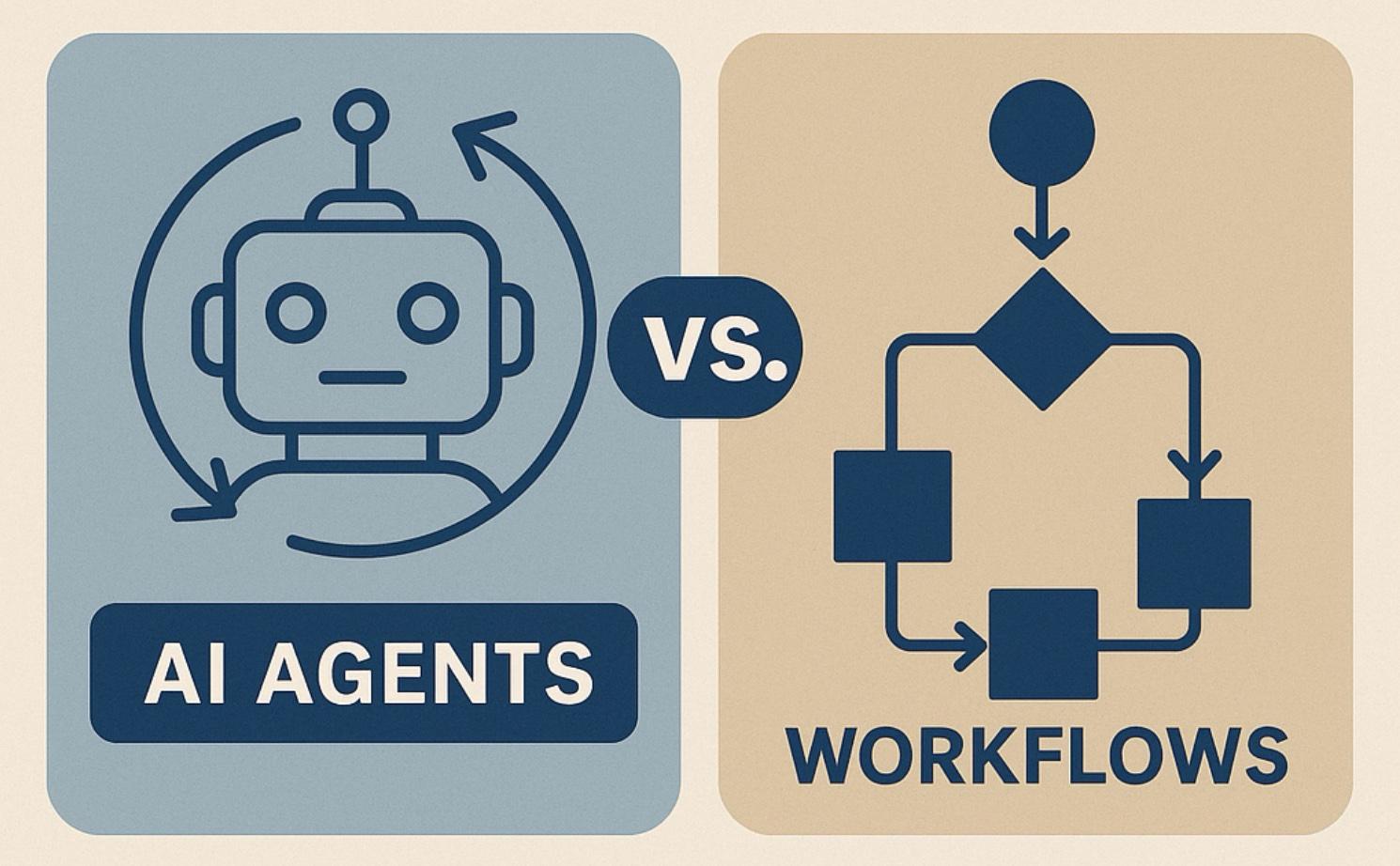
Here is the honest answer: The difference comes down to how decisions are made. Workflows follow predetermined paths. Agents make decisions in real time based on context . Neither is inherently better. They are tools for different jobs. A customer support workflow handles standard refunds. An agent handles a customer who says "I need help, but I am not sure what I need" .
Understanding this distinction is the key to building effective AI systems.
Step 3: What is an AI Workflow?
The Simple Definition:
An AI workflow is a predefined sequence of steps where AI is used as a component within a larger, predictable process . The path is fixed, and every possible branch is mapped out in advance .
How It Works:
| Characteristic | What It Means |
|---|---|
| Predefined Steps | The process is designed upfront, step by step |
| Deterministic | Same input always produces the same output |
| Stateless | Each execution is self-contained |
| Predictable | Resource usage and outcomes are known in advance |
Analogy:
Think of a workflow like a car assembly line. Each station has a specific job—install the engine, attach the doors, paint the body. The car moves from station to station in a fixed order. Every car goes through the exact same steps. If the system works for one car, it works for all cars .
Example Use Case:
A customer support workflow that:
-
Takes an incoming ticket
-
Passes it to an LLM for initial categorization
-
Routes it to the appropriate team based on the category
Step 4: What is an AI Agent?
The Simple Definition:
An AI agent is an autonomous system that decides what actions to take to achieve a goal. It does not follow a fixed path. It reasons, plans, uses tools, and adapts based on what it discovers .
How It Works:
| Characteristic | What It Means |
|---|---|
| Autonomous | Makes decisions without constant human intervention |
| Goal-Oriented | Focused on achieving an objective, not following steps |
| Adaptive | Changes approach based on context and feedback |
| Stateful | Maintains memory across steps |
Analogy:
Think of an agent like a human worker who is given a goal, told what tools are available, and left to figure out the best way to do the job. The worker decides which tools to use, in what order, and adapts if something unexpected happens .
Example Use Case:
A customer support agent that:
-
Receives a request
-
Decides whether to look up an order, process a refund, or escalate
-
Chooses the right tool for the situation
-
Asks follow-up questions if needed
Step 5: The Core Difference – How Decisions Are Made
The most important distinction is simple :
| AI Workflow | AI Agent | |
|---|---|---|
| Decisions based on | Predefined conditions | Real-time predictions from a model |
| Decision mechanism | Code (if-else logic) | LLM reasoning |
| Path | Fixed at design time | Emerges at runtime |
Why This Matters:
Workflow decisions are made when the system is built. Every possible branch must be anticipated. Agent decisions are made when the system runs, based on the specific situation. This difference determines which problems each approach can solve.
Step 6: When to Use a Workflow
Workflows are the right choice when the problem is well-defined and predictable.
Signs You Need a Workflow:
| Situation | Why Workflow Is Better |
|---|---|
| Steps are clear in advance | You can design the entire process upfront |
| Low tolerance for errors | Predictability is more important than flexibility |
| Compliance and audit requirements | Easier to track and verify |
| Standardized inputs | Input format is consistent and known |
Best For:
-
ETL data pipelines
-
Customer onboarding
-
Financial transactions
-
Document processing with known formats
-
Inventory management
Workflow Description:
"You tell a workflow what to do. It does exactly that, every time, in the same order" .
Step 7: When to Use an Agent
Agents shine when problems are ambiguous, open-ended, or involve human communication.
Signs You Need an Agent:
| Situation | Why Agent Is Better |
|---|---|
| Steps depend on context | The best path is not known in advance |
| Unstructured input | Dealing with natural language, images, or variable formats |
| Need for adaptation | The system needs to respond to changing conditions |
| Complex reasoning | Multi-step problem solving with trade-offs |
Best For:
-
AI-powered customer support
-
Personalized recommendations
-
Research assistance
-
Content generation
-
Dynamic lead qualification
Agent Description:
"You tell an agent what you want to achieve. It decides how to get there" .
Step 8: Key Differences at a Glance
| Dimension | AI Workflow | AI Agent |
|---|---|---|
| Autonomy | Low—follows predefined steps | High—makes decisions independently |
| Structure | Rigid, fixed path | Flexible, adapts to context |
| Decision-Making | Rules and conditions (code) | Model-driven reasoning (LLM) |
| Adaptability | None—requires manual changes | High—learns and adapts |
| Predictability | High—same input, same output | Low—outcomes vary based on context |
| Debugging | Easy—transparent steps | Harder—"black box" reasoning |
| Cost | Low and predictable | Variable and often higher |
| When to Use | Defined, repetitive tasks | Open-ended, dynamic tasks |
Step 9: Hybrid Approach – Using Both Together
The most advanced AI systems combine both approaches .
Common Hybrid Pattern:
| Component | Approach | Benefit |
|---|---|---|
| Data ingestion | Workflow | Reliable, auditable |
| Decision point | Agent | Flexible, context-aware |
| Execution | Workflow | Consistent, predictable |
Customer Support Example:
-
Workflow handles routing and triaging
-
Agent resolves ambiguous queries
-
Workflow handles refund processing and ticket closure
When to Combine:
-
Process has both predictable and unpredictable components
-
Need for flexibility but also reliability
-
Complex systems with multiple agents
Step 10: Pro Tips for Choosing the Right Approach
Tip 1: Start Simple, Then Scale
Begin with a single agent. Add workflows or teams only when you hit the agent's limits .
Tip 2: The "Nurse vs Dispenser" Test
The medication dispenser follows rules perfectly—it never interprets, it just executes. The nurse adapts based on context . If your task is like the dispenser, use a workflow. If it is like the nurse, use an agent.
Tip 3: Consider Debugging Requirements
Workflows are easier to debug, audit, and maintain . Agents are harder to monitor. Choose accordingly if compliance or transparency is critical.
Tip 4: Watch Cost
Agents use more resources and cost more to run . Use workflows where possible to keep costs predictable.
Tip 5: Design Guardrails
Agents can take unintended paths. Build guardrails to prevent actions that should not be automated .
Step 11: Frequently Asked Questions
Q1: What is the difference between an AI agent and an AI workflow?
Workflows follow predefined paths. Agents make decisions dynamically based on context and goals .
Q2: Is one better than the other?
No. They serve different purposes. Workflows are better for predictable processes. Agents are better for open-ended, dynamic tasks .
Q3: Can AI agents and workflows be used together?
Yes. Many systems combine both approaches . For example, a workflow might handle routing while an agent handles ambiguous cases.
Q4: How do I know which one to use?
Consider whether the steps can be defined in advance. If yes, use a workflow. If the path depends on context, use an agent .
Q5: Are workflows less advanced than agents?
No. They are different tools for different problems. Workflows are more predictable and easier to debug. Agents are more flexible but harder to control .
Step 12: Final Tagline
"Workflows Do What You Tell Them. Agents Figure Out What to Do. Choose What Fits Your Problem."
Hashtags:
#AIWorkflows #AIAgents #AgenticAI #Automation #AIDevelopment #CodingNow #GurukulOfAI
Step 13: A Note on Your AI Automation Journey
The choice between workflows and agents is not about which is more advanced. It is about which fits your problem. Workflows are predictable, auditable, and cost-effective. Agents are flexible, adaptive, and powerful.
Many of the best AI systems combine both—using workflows for reliability and agents for adaptability. The key is understanding the trade-offs and choosing the right tool for each part of your process.
At Coding Now, we teach the skills to build both AI workflows and AI agents. Come visit us. Take a free demo class. See what is possible.
Your AI automation journey starts now.
Contact Us
Phone: +91 9667708830
Email: info@codingnow.in
Website: https://codingnow.in/
Address:
2nd Floor, Kapil Vihar (Opp. Metro Pillar No.354)
Pitampura, New Delhi – 110034
Backlink to main website: Explore AI Engineering Diploma and other courses at Coding Now – Gurukul of AI
