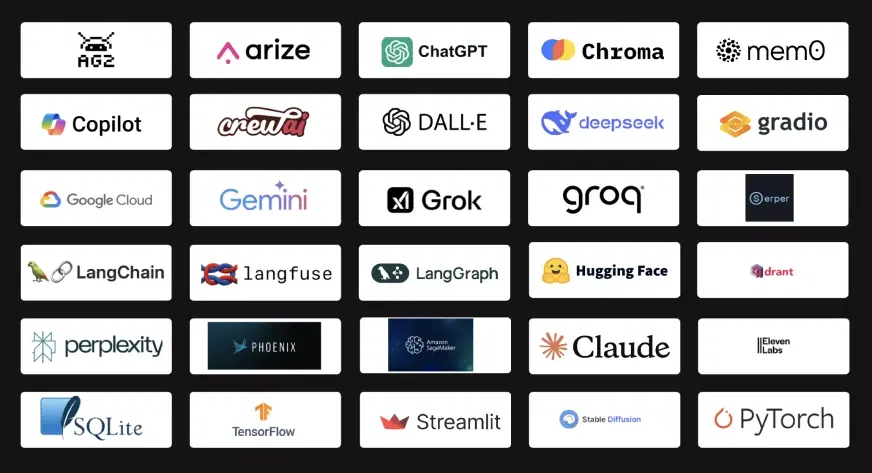
The Big Question
Let us ask you something directly.
You are a data scientist or aspiring to be one. You open LinkedIn. You see posts about LangChain, vector databases, AutoML, and AI agents. You feel overwhelmed. You think to yourself: "Do I need to learn all of these? Which ones actually matter? Am I falling behind?"
We hear this question every week from students and professionals.
Here is our honest answer after years in AI and data science education:
You do not need to learn every new tool. That is impossible and unnecessary. But you do need to learn the tools that fundamentally change how data science work is done.
The core skills of data science problem solving, statistics, and business understanding remain essential. But the tools you use to execute those skills have evolved. Using modern AI tools is like upgrading from a bicycle to a motorcycle. You still need to know where you are going. But you get there much faster.
Let us show you exactly which tools matter in 2026.
Step 3: How Data Science Workflows Have Changed
Before we list the tools, let us look at how the data science workflow has changed.
The Old Workflow (Before 2023):
| Step | Tools Used | Time Spent |
|---|---|---|
| Data collection | SQL, Python requests | 1-2 days |
| Data cleaning | Pandas, manual code | 3-5 days |
| Exploration | Matplotlib, Seaborn | 2-3 days |
| Feature engineering | Manual coding | 3-5 days |
| Model selection | Scikit-learn, manual trials | 1-2 days |
| Tuning | Grid search, manual | 2-3 days |
| Documentation | Manual writing | 1-2 days |
| Total | 2-4 weeks |
The Modern Workflow (2026 with AI Tools):
| Step | Tools Used | Time Spent |
|---|---|---|
| Data collection | AI assisted SQL, data agents | 2-4 hours |
| Data cleaning | LLM assisted pandas | 1-2 hours |
| Exploration | AI insight generation | 1-2 hours |
| Feature engineering | LLM assisted code generation | 1-2 hours |
| Model selection | AutoML tools | 30 minutes |
| Tuning | Automated optimization | 30 minutes |
| Documentation | LLM documentation generation | 30 minutes |
| Total | 1-3 days |
The difference is not small. It is transformative. The rest of this blog will show you the tools that make this possible.
Step 4: Category 1 – LLM Assisted Coding Tools
These tools help you write, debug, and document code faster using large language models.
Tool 1: ChatGPT / Claude / Gemini (Code Assistant)
What It Does:
These conversational LLMs can write Python code, explain complex functions, debug errors, and generate documentation from natural language descriptions.
Why You Need It:
You will stop wasting time searching Stack Overflow. Instead of remembering syntax, you describe what you want and the LLM writes the code. You review, test, and modify.
How Data Scientists Use It:
| Task | How the Tool Helps |
|---|---|
| Write pandas operations | "Group my dataframe by customer_id and calculate average purchase amount" |
| Debug error messages | Paste the error, get explanation and fix |
| Generate docstrings | "Write a docstring for this function" |
| Explain complex code | "What does this SQL query do?" |
| Convert between libraries | "Convert this pandas code to PySpark" |
Limitations to Know:
These tools can hallucinate. Always test generated code. Never paste sensitive data into free versions.
Tool 2: GitHub Copilot
What It Does:
An AI pair programmer that autocompletes code as you type. It integrates directly into VS Code, PyCharm, and other IDEs.
Why You Need It:
Copilot learns your coding patterns and suggests entire functions, loops, and transformations. It feels like having a senior developer sitting next to you.
How Data Scientists Use It:
| Scenario | How Copilot Helps |
|---|---|
| Writing a pandas transformation | Starts typing, Copilot suggests the complete line |
| Creating a plot | Types "plt.", Copilot suggests the full visualization code |
| Writing a for loop | Types "for", Copilot suggests the complete loop structure |
| Importing libraries | Automatically suggests imports as you type |
Time Savings:
Studies suggest 30-50% reduction in coding time for common tasks.
Tool 3: Cursor / Continue (AI Native IDEs)
What It Does:
Code editors built specifically for AI assisted development. They combine the features of Copilot with chat based code generation and editing.
Why You Need It:
These tools represent the next generation of coding environments. Instead of AI as an add-on, AI is the core feature.
How Data Scientists Use It:
| Feature | What It Does |
|---|---|
| Chat with your codebase | Ask questions about your entire project, not just one file |
| Natural language edits | "Change this function to handle missing values" and it makes the change |
| Codebase understanding | Explains how different files and functions connect |
Step 5: Category 2 – AutoML and Automated Modeling Tools
These tools automate the model building process, from data preparation to hyperparameter tuning.
Tool 4: PyCaret
What It Does:
An open source, low code machine learning library that automates model training, comparison, and tuning with just a few lines of code.
Why You Need It:
Instead of writing 100+ lines of code to try multiple models, you write 5 lines. PyCaret tries dozens of algorithms, tunes hyperparameters, and shows you the best performers.
How Data Scientists Use It:
| Task | Traditional Code | With PyCaret |
|---|---|---|
| Compare 15 models | 2-3 hours of coding | 2 minutes |
| Hyperparameter tuning | Hours of grid search | Automated |
| Feature engineering | Manual coding | Automated suggestions |
| Model interpretation | Separate libraries | Built in |
Example Workflow:
You load your data. You call setup() with your target column. You call compare_models(). PyCaret returns the best model with performance metrics. Total time: 5 minutes.
When to Use PyCaret:
-
Rapid prototyping
-
Baseline model generation
-
When you need to try many approaches quickly
-
Teaching and learning ML concepts
Limitations:
Less flexible than writing custom code. May not support cutting edge architectures. Best for standard tabular data problems.
Tool 5: H2O AutoML
What It Does:
An enterprise grade AutoML platform that automates the entire machine learning pipeline, including data preprocessing, feature engineering, model training, and ensemble building.
Why You Need It:
For serious production work, H2O AutoML provides more robust and scalable automation than PyCaret. It handles large datasets and produces highly optimized models.
How Data Scientists Use It:
| Feature | What It Does |
|---|---|
| Automatic preprocessing | Handles missing values, categorical encoding, scaling |
| Distributed computing | Scales across multiple machines for large data |
| Model explainability | Built in SHAP and LIME explanations |
| Leaderboard | Ranks all models tried with performance metrics |
| Ensemble models | Combines top models for better performance |
When to Use H2O AutoML:
-
Large datasets (millions of rows)
-
Enterprise production deployments
-
When model performance is critical
-
When you need explainable models
Tool 6: Google AutoML / Vertex AI
What It Does:
Cloud based AutoML services that handle not just tabular data but also images, text, and video. You upload data, and Google builds and deploys the model.
Why You Need It:
For teams without deep ML expertise, Google AutoML provides a point and click interface to build production ready models. It is expensive but powerful.
How Data Scientists Use It:
| Use Case | What It Does |
|---|---|
| Image classification | Upload labeled images, get trained model |
| NLP sentiment analysis | Upload text, get sentiment classifier |
| Tabular prediction | Upload CSV, get regression or classification model |
| Model deployment | One click deployment to API endpoint |
When to Use Google AutoML:
-
When you have budget for cloud services
-
For image or text problems where you lack in-house expertise
-
When you need rapid deployment
Step 6: Category 3 – Vector Databases and RAG Tools
These tools enable data scientists to work with unstructured data and build systems that can retrieve and reason over documents.
Tool 7: Chroma / Pinecone / Weaviate (Vector Databases)
What They Do:
Vector databases store and search high dimensional embeddings. They allow you to find similar pieces of text, images, or other data based on semantic meaning, not just keywords.
Why You Need Them:
Traditional databases search by exact match or keyword. Vector databases search by meaning. "Show me similar customer complaints" finds complaints with similar issues even if they use different words.
How Data Scientists Use Them:
| Use Case | What the Vector Database Does |
|---|---|
| Document search | Find relevant passages from thousands of documents |
| Recommendation | Find items similar to a user's past preferences |
| Deduplication | Find duplicate records even with different wording |
| Anomaly detection | Find embeddings far from the cluster center |
When You Need a Vector Database:
-
Building a question answering system over company documents (RAG)
-
Building a recommendation engine
-
Searching through unstructured text at scale
-
Clustering similar documents or messages
Tool 8: LangChain
What It Does:
A framework for building applications powered by large language models. It provides tools for chaining prompts, managing memory, calling APIs, and building agents.
Why You Need It:
LangChain is the standard tool for connecting LLMs to your data and tools. It transforms LLMs from simple chat interfaces into powerful reasoning engines.
How Data Scientists Use It:
| Component | What It Does for Data Science |
|---|---|
| Document loaders | Load data from PDFs, websites, databases, Notion |
| Text splitters | Chunk long documents for embedding |
| Vector stores | Connect to Chroma, Pinecone for retrieval |
| Chains | Combine multiple LLM calls into workflows |
| Agents | Let LLMs decide what tools to use |
| Memory | Maintain conversation context |
Example Data Science Workflow with LangChain:
Load customer support tickets from a database. Split them into chunks. Create embeddings. Store in Chroma. Build a retrieval chain that answers "What are the top customer complaints?" The system retrieves relevant tickets and summarizes them.
Tool 9: LlamaIndex
What It Does:
A framework specifically designed for indexing, retrieving, and querying structured and unstructured data with LLMs.
Why You Need It:
While LangChain is broader, LlamaIndex specializes in connecting LLMs to your data. It excels at building RAG (Retrieval-Augmented Generation) systems.
How Data Scientists Use It:
| Feature | What It Does |
|---|---|
| Data connectors | Connect to over 100 data sources (SQL, PDFs, APIs, Slack) |
| Indexing strategies | Multiple ways to index data for optimal retrieval |
| Query engines | Natural language queries over your data |
| Response synthesis | Combine retrieved data with LLM generation |
When to Use LlamaIndex:
-
Building question answering over company documents
-
Connecting LLMs to databases for natural language queries
-
Any RAG application
Step 7: Category 4 – Data Analysis and Visualization with AI
These tools integrate AI into the analysis and visualization workflow.
Tool 10: PandasAI
What It Does:
A library that adds natural language querying to pandas. You type a question in English, and PandasAI generates and executes the pandas code to answer it.
Why You Need It:
Instead of remembering the exact pandas syntax for every operation, you just ask. "Show me average sales by region" becomes code automatically.
How Data Scientists Use It:
| Natural Language Query | Generated Operation |
|---|---|
| "Show me the top 10 customers by purchase amount" | df.nlargest(10, 'purchase_amount') |
| "What is the correlation between age and income?" | df['age'].corr(df['income']) |
| "Count missing values in each column" | df.isnull().sum() |
| "Plot monthly sales trend" | df.groupby('month')['sales'].sum().plot() |
When to Use PandasAI:
-
Exploratory analysis on new datasets
-
When you want to quickly check a hypothesis without writing code
-
Teaching pandas to beginners
Limitations:
Slower than writing direct pandas code. Limited to operations PandasAI understands.
Tool 11: Data Profiling Tools (ydata-profiling / Sweetviz)
What They Do:
These tools generate comprehensive data reports automatically. They analyze your dataset and produce visualizations, statistics, and insights with a single line of code.
Why You Need Them:
Instead of manually writing code to check each column for missing values, distributions, correlations, and outliers, the profiling tool does it all in seconds.
How Data Scientists Use Them:
| Output | What It Shows |
|---|---|
| Overview | Dataset size, missing values, duplicate rows |
| Variable analysis | For each column: type, unique values, missing %, distribution |
| Correlations | Heatmaps of variable relationships |
| Sample data | First and last rows of the dataset |
| Warnings | High cardinality, missing data, skewness, correlated features |
Time Savings:
What took hours of manual checking now takes seconds.
Step 8: Category 5 – MLOps and Production Tools
These tools help you deploy, monitor, and maintain models in production.
Tool 12: MLflow
What It Does:
An open source platform for managing the end to end machine learning lifecycle, including experiment tracking, model registry, and deployment.
Why You Need It:
As data scientists, we often run many experiments. Which hyperparameters gave the best result? Which model version is in production? MLflow answers these questions.
How Data Scientists Use It:
| Feature | What It Does |
|---|---|
| Experiment tracking | Log parameters, metrics, and artifacts for each run |
| Model registry | Version and manage models |
| Model serving | Deploy models to REST endpoints |
| Project packaging | Reproducible runs across environments |
When to Use MLflow:
-
Any team with more than one data scientist
-
When you need to compare many experiments
-
When models need to be deployed to production
Tool 13: Evidently AI
What It Does:
A tool for monitoring machine learning models in production. It detects data drift, concept drift, and model performance degradation.
Why You Need It:
Models degrade over time as data changes. Evidently alerts you when your model's performance drops or when incoming data looks different from training data.
How Data Scientists Use It:
| Detection Type | What It Monitors |
|---|---|
| Data drift | Has the distribution of input features changed? |
| Target drift | Has the distribution of predictions changed? |
| Model performance | Is accuracy / precision / recall declining? |
| Data quality | Are there missing values or outliers in new data? |
When to Use Evidently:
-
Any model in production that matters
-
When data distributions may change over time
-
For regulatory or compliance requirements
Step 9: The Learning Path – Which Tools First?
With so many tools, you need a learning strategy. Here is our recommended path.
Phase 1: Essential for Every Data Scientist (Learn First)
| Tool | Time to Learn Basic Proficiency |
|---|---|
| ChatGPT / Claude (as coding assistant) | 1-2 days |
| GitHub Copilot | 1-2 days |
| PandasAI | 1-2 days |
| Data profiling tools | 1 day |
Why These First:
These tools impact every single data science task. You will use them daily. They have the highest ROI for learning time.
Phase 2: Automation and Productivity (Learn Next)
| Tool | Time to Learn Basic Proficiency |
|---|---|
| PyCaret | 1 week |
| LangChain basics | 1-2 weeks |
| MLflow basics | 3-5 days |
Why These Second:
These tools dramatically speed up specific parts of your workflow. They require more learning investment but pay off quickly.
Phase 3: Specialized and Advanced (Learn as Needed)
| Tool | When to Learn |
|---|---|
| Vector databases | When building RAG or search systems |
| LlamaIndex | When building document Q&A systems |
| H2O AutoML | When working with very large datasets |
| Evidently AI | When deploying models to production |
| Google AutoML | When working with images or video |
Why These Last:
These tools are powerful but for specific use cases. Learn them when you need them.
Step 10: What Coding Now Offers for AI Tools Training
At Coding Now – Gurukul of AI, our Data Science course (4 months) and AI Engineering Diploma (6 months) include hands-on training with all of these tools.
What You Will Learn:
| Module | Tools Covered |
|---|---|
| LLM Assisted Coding | ChatGPT, Claude, Copilot for data science |
| Automated Modeling | PyCaret, H2O AutoML |
| Vector Databases | Chroma, Pinecone fundamentals |
| RAG Systems | LangChain, LlamaIndex for document Q&A |
| Data Profiling | ydata-profiling, Sweetviz |
| Experiment Tracking | MLflow |
| Model Monitoring | Evidently AI basics |
| Integration Projects | Combining multiple tools in real workflows |
Projects You Will Build:
-
Automated customer churn prediction using PyCaret
-
Document Q&A system using LangChain and Chroma
-
Model tracking system using MLflow
-
Data profiling and quality monitoring pipeline
Placement Support:
-
100% placement assistance
-
3,500+ hiring partners
-
3,200+ students placed
-
Average salary: 6-14 LPA (Data Science) or 8-18 LPA (AI Engineering)
-
Highest package: 34 LPA
Mode: Offline at Pitampura, Delhi (hybrid options available)
Duration: 4 months (Data Science) or 6 months (AI Engineering Diploma)
7-Day Trial: Attend 7 days. If you do not see value, full refund.
Limited Offer: 50% OFF on select courses. Call +91 9667708830.
Step 11: Why Delhi is a Great Hub for Learning These Tools
1. Proximity to Tech Hubs
Noida, Gurgaon, and Delhi have thousands of companies using these modern AI tools. Your future employers are within 1 hour.
2. Affordable Living
PG accommodation in Pitampura costs 6,000-10,000 per month. Much cheaper than Bangalore or Mumbai.
3. The Gurukul Culture
Personal mentorship from experienced faculty who use these tools in real projects.
4. 24/7 Lab Access
Learn at your own pace. Practice with tools at any hour.
5. Hinglish Teaching
Complex concepts explained in simple language. Non-CS students succeed here.
6. Strong Alumni Network
3,200+ placed students working at top companies. They refer current students.
Our Office Address:
2nd Floor, Kapil Vihar (Opp. Metro Pillar No.354)
Pitampura, New Delhi – 110034
Step 12: Pro Tips for Learning AI Tools
Tip 1: Learn by Doing, Not Watching
Open a notebook and use each tool. Tutorials are not enough. Build something small.
Tip 2: Start with Free Versions
Most tools have free tiers or open source versions. Learn before committing budget.
Tip 3: Build a Personal Toolkit
Save your effective prompts. Keep snippets of working code. Create your own library.
Tip 4: Combine Tools, Dont Just Collect Them
Learn how LangChain works with vector databases. Learn how PyCaret outputs work with MLflow. Integration is where value multiplies.
Tip 5: Stay Updated, But Not Obsessed
The tool landscape changes fast. Follow major releases but do not chase every new tool. Master the fundamentals.
Tip 6: Use the 7-Day Trial
Not sure which tools to focus on? Join our 7-day trial. Experience them with guidance.
Step 13: Frequently Asked Questions
Q1: Do I need to learn all these tools to get a job?
No. Focus on Phase 1 tools first. Add Phase 2 as you progress. Phase 3 as needed for your specific role.
Q2: Which tool saves the most time?
For most data scientists, LLM assisted coding (ChatGPT, Copilot) saves the most time because it affects every coding task.
Q3: Are these tools replacing traditional data science skills?
No. They are augmenting them. You still need statistics, problem solving, and business understanding. Tools make execution faster.
Q4: Is PyCaret better than writing custom code?
For rapid prototyping and baseline models, yes. For production systems needing custom architectures, custom code is still better.
Q5: Do I need to learn LangChain if I am not building applications?
If you are a traditional data scientist focused on analysis and modeling, you can start with PandasAI and AutoML. Learn LangChain when you build document Q&A or agent systems.
Q6: What is the average salary for a data scientist who knows these tools?
The same as other data scientists, but productivity is higher. Companies value practical tool skills. Range is 6-14 LPA for freshers, higher with experience.
Q7: Does Coding Now teach all these tools?
Yes. Our Data Science course and AI Engineering Diploma cover hands-on training with the essential tools.
Q8: How long does it take to learn the essential tools?
-
Phase 1 tools: 1-2 weeks
-
Phase 1 + Phase 2: 4-6 weeks
-
Complete toolkit: 4-6 months at Coding Now
Q9: Does Coding Now have placement for data science roles?
Yes. 3,500+ hiring partners. 3,200+ students placed.
Q10: How do I enroll?
Call +91 9667708830 or visit our Pitampura center.
Step 14: Final Tagline
"Work Smarter, Not Harder. Master the AI Tools That Multiply Your Impact."
Hashtags:
#AITools #DataScienceTools #AutoML #LangChain #VectorDatabases #CodingNow #GurukulOfAI #DataScienceCareer
Step 15: A Note on the Future
The tools we discussed today will evolve. Some will become obsolete. New ones will emerge.
But the pattern will remain. AI will continue to automate repetitive tasks in data science. Data scientists will focus more on problem formulation, validation, and communication.
The best time to learn these tools was last year. The second best time is today.
Start with one tool. Master it. Add another. Build your toolkit over time.
Your future self will thank you.
Contact Us
Phone: +91 9667708830
Email: info@codingnow.in
Website: https://codingnow.in/
Address:
2nd Floor, Kapil Vihar (Opp. Metro Pillar No.354)
Pitampura, New Delhi – 110034
Backlink to main website: Explore Data Science and AI Engineering courses at Coding Now – Gurukul of AI
